
Best Monitor Light Bars Under $100 on Amazon for Home Offices and Gaming Setups
If you work or game in a dim room, a regular desk lamp is kind of like shining a flashlight at your monitor: lots of glare, weird reflections, and tired eyes by the end of the day. Monitor light bars solve that by clipping directly onto the top of the display and throwing an asymmetric beam onto the desk instead of the screen. The result is a cleaner, more modern setup with better contrast on the panel, readable documents on the desk, and far less eye strain during long sessions.
For this roundup, the goal is simple: highlight four monitor light bars on Amazon US that stay under about US$100, are actually in play right now, and feel like real upgrades rather than just RGB sticks with marketing copy. All four picks use glare-free optical designs, support adjustable brightness and color temperature, run off simple USB power, and are currently listed with active purchase options on Amazon US (not marked “Currently unavailable”) as of mid-January 2026. Based on recent pricing from Amazon and regional retailers, they typically land in the US$40–60 range, comfortably below the $100 ceiling.
The 4 best monitor light bars under $100
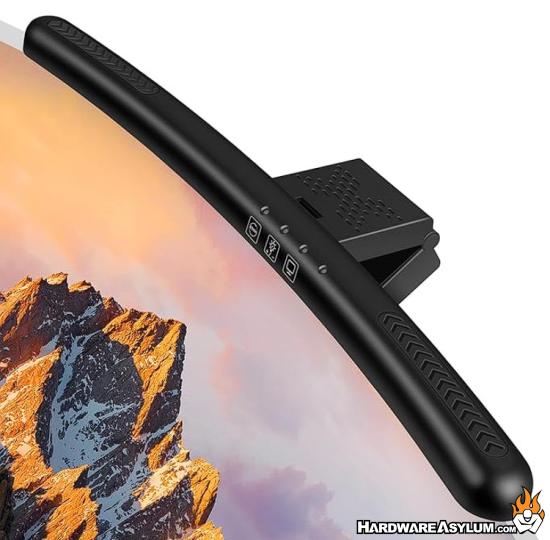
1) Laliled Monitor Light Bar (Curved Computer Monitor Lamp) – Best sub-$100 curved option
Why this pick
Laliled’s monitor light bar is a strong under-$100 alternative to the big-name flags if you want an asymmetric, eye-care focused light that also plays nice with curved displays. It’s designed specifically for flat and curved screens, uses a beam pattern that illuminates only the desk area, and offers three color temperature modes plus stepless dimming via touch controls. A built-in one-hour timer is a small but thoughtful touch—it’s basically a gentle reminder to stop doom-scrolling and give your eyes a break. Recent regional listings put it around the equivalent of US$40–50, keeping it safely within budget.
Key specs & features (high level)
- Asymmetrical optical design that lights the desktop only, avoiding screen glare and flicker to reduce eye strain
- Three color temperature modes (warm / neutral / cool) with stepless brightness adjustment via touch controls
- 1-hour timer mode to encourage breaks during long work or gaming sessions
- 180° adjustable clip plus 90° lamp adjustment to aim the beam exactly where you need it
- Designed for curved and standard monitors (around 15.6" class in its curved variant), USB-powered with a compact clamp that doesn’t eat desk space
Best for:
Users running curved or conventional monitors who want a clean, eye-care-oriented light bar with proper dimming and color control, and who explicitly want to stay in the sub-US$100 bracket without dropping premium BenQ money.
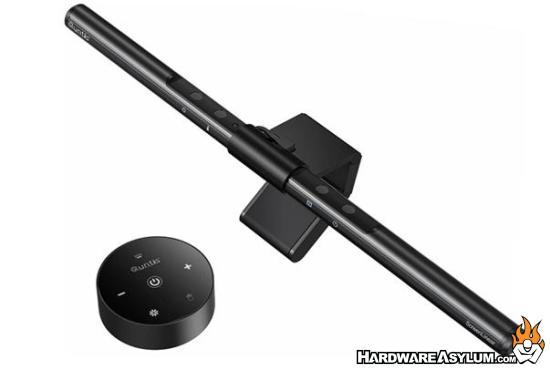
2) Quntis Computer Monitor Lamp (Auto-Dimming Screen Light Bar) – Best value eye-care pick
Why this pick
Quntis has quietly become the default recommendation when someone asks, “What’s a good light bar that doesn’t cost as much as the monitor?” This 40 cm model is built for eye comfort: it uses an asymmetric “downward” beam pattern to avoid screen reflections, includes an ambient light sensor for auto-dimming, and pushes a high color-rendering index (up to Ra≥98), which helps documents and objects look natural instead of washed out. Ubuy and other international sellers list it in roughly the US$40–50 window, and the Amazon US page shows it as an actively sold, well-reviewed bar.
Key specs & features (high level)
- Asymmetric optics that illuminate only the desk and keyboard area, with no direct screen glare
- Ambient light sensor with auto-dimming to keep brightness comfortable throughout the day
- Stepless adjustment for both brightness and color temperature, covering warm to cool whites
- High CRI (Ra≥98) LED array for natural, accurate color rendering on documents and objects
- USB-powered clamp design that frees up desk space and works with most standard monitors
Best for:
Students, office workers, and creators who want a very capable eye-care bar that behaves like a more expensive model while staying comfortably under US$100.
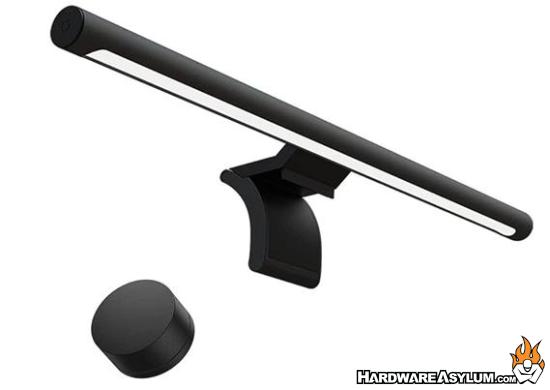
3) Xiaomi Mi Computer Monitor Light Bar (with Wireless Remote) – Best minimalist + remote combo
Why this pick
The Xiaomi Mi Computer Monitor Light Bar is what you buy when you want your desk to look like a clean Instagram setup instead of an IT closet. It uses a slim metal bar that magnetically docks onto the mount, an asymmetric beam pattern to avoid screen glare, and a low-profile 2.4 GHz wireless knob that sits on the desk for one-finger control of brightness and color temperature. Regional price trackers show it usually in the sub-US$60 equivalent range, which keeps it well below the $100 cap while still feeling like a premium object.
Key specs & features (high level)
- 17.6" wide bar with magnetic mount; easily attaches to the top of the monitor without taking up desktop space
- 2.4 GHz wireless remote dial for quick brightness and color temperature changes from your seat
- “No screen reflection” optical design to keep light on the desk and off the panel
- High-quality, flicker-free LED output with up to around 500 lumens, tuned for comfortable, extended use
- Metal body, USB-powered, compact enough for both single and dual-monitor setups
Best for:
Users who care as much about minimalist aesthetics and a nice control experience as they do about raw specs, and who like the idea of a physical volume-style knob instead of reaching up to tap the light bar.
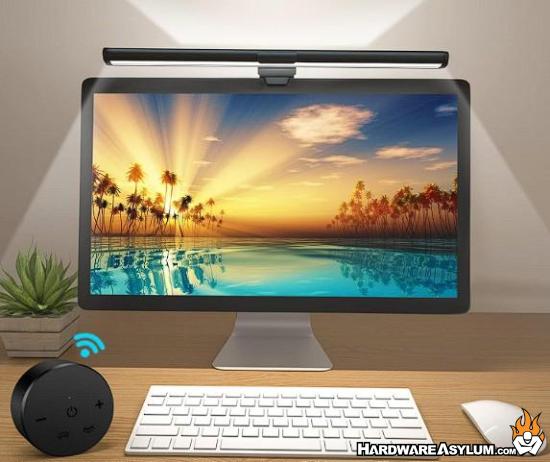
4) OOWOLF Monitor Light Bar with Remote & Backlight – Best “extras” under $100
Why this pick
OOWOLF’s monitor light bar is the feature-packed value option: high color-rendering index (CRI≥95), flicker-free main beam, adjustable color temperature, a separate backlight strip on the rear of the bar, and a bundled remote that handles brightness, color, and backlight effects. It’s pitched as an eye-care lamp that filters blue light and uses an “ambient light eye-care system” to reduce strain. Regional pricing sites list it around the equivalent of US$35–45, making it a budget-friendly way to add both functional and ambient lighting on top of the monitor.
Key specs & features (high level)
- High color rendering (CRI≥95–98 range) LEDs that reproduce more realistic colors and reduce eye fatigue
- Asymmetric beam pattern aimed at the desktop, with no direct glare on the screen
- Adjustable color temperature and stepless dimming via wireless remote; dedicated controls for both front light and backlight
- Integrated backlight strip to soften contrast between the bright monitor and the wall behind it
- USB-powered, low-profile clamp with aluminum construction and modern styling
Best for:
Home-office and gaming users who want a bit more personality and flexibility—main task lighting plus a controllable backlight—while staying clearly under US$100.
Quick buying tips
When you’re picking a monitor light bar, it helps to start with eyes and ergonomics, then worry about fancy extras. Look for an asymmetric optical design that lights the desk without bouncing directly off the panel, plus flicker-free output and at least decent color rendering. Quntis and OOWOLF lean hardest into high-CRI, eye-care credentials, while Laliled and Xiaomi still cover the basics but emphasize flexibility (curved-screen support and a magnetic mount with remote control).
Next, decide how “hands-off” you want the experience to be. If the dream is to never touch the lamp again after setup, auto-dimming options like Quntis and timer modes like Laliled’s 1-hour shutoff are appealing. If you like to tune the vibe between work sessions and late-night gaming, Xiaomi’s desk-friendly wireless knob and OOWOLF’s full remote plus backlight give you fine-grained control without reaching over the monitor. Finally, check clamp compatibility and monitor shape: all four picks are designed for standard flat panels, but Laliled explicitly calls out curved-screen support, while the others are best with typical thin-bezel 16:9 or 21:9 displays.
Final thoughts
A good monitor light bar quietly fixes a lot of everyday annoyances: it cleans up the desk, reduces reflections that make text harder to read, and lets you run your display at a comfortable brightness without working in a dark cave. Within the sub-US$100 bracket, Laliled’s curved-friendly bar is the flexible, eye-care-focused option for people running modern panels, while Quntis delivers a very strong auto-dimming, high-CRI package that feels more expensive than it is. Xiaomi’s Mi Light Bar leans into minimalist hardware and that slick wireless dial for people who care about how their setup looks as much as how it works, and OOWOLF rounds out the list with a high-CRI, remote-controlled bar that adds a controllable backlight for a bit of extra atmosphere. As of mid-January 2026, all four are actively listed on Amazon US and typically price well under US$100; just use the ASINs and links to re-check current price and stock before you publish, so your article stays aligned with whatever deals Amazon decides to run next.
