
Tech News
-
CORSAIR Launches the HS80 v2 MAX WIRELESS Gaming Headset, Engineered for Competitive Gamers
Upgraded 50mm non-Newtonian laminate drivers, a broadcast-grade mic with a 10mm capsule, NVIDIA Broadcast, simultaneous dual wireless, and up to 110 hours of battery life carry the HS80 series legacy forward.
MILPITAS, CA, October 8, 2026 – CORSAIR® (Nasdaq: CRSR), a leading global developer and manufacturer of high-performance gear and technology for gamers, content creators, and PC enthusiasts, today announced the HS80 v2 MAX WIRELESS Gaming Headset, the newest high-end headset in the HS80 series. Upgraded 50mm non-Newtonian laminate drivers keep every footstep and reload distinct, a broadcast-grade microphone with a 10mm capsule captures every callout, and simultaneous 2.4GHz and Bluetooth® wireless with up to 110 hours of battery life keep competitive gamers in the game.
“We tuned HS80 v2 MAX to highlight footsteps and cut through secondary noise to deliver the audio performance you need in the heat of battle,” said Nick Bourne, VP of Gaming Devices at CORSAIR. “It gives you the info you need with powerful audio drivers, keeps your voice clear and natural, and the enhanced comfort and battery life keep you focused and in the game.”
Hearing in-game cues clearly can make the difference between victory and defeat. After a loud sound like a gunshot or explosion, residual vibration in a driver’s diaphragm can obscure quieter details, such as footsteps or reloads. The upgraded 50mm non-Newtonian laminate drivers in the HS80 v2 MAX WIRELESS help reduce that residual vibration, allowing the diaphragm to settle quickly, keeping quieter details clearer as the action unfolds. The result is powerful bass, crisp highs, and rich, full-range audio that helps you hear the cues that matter.
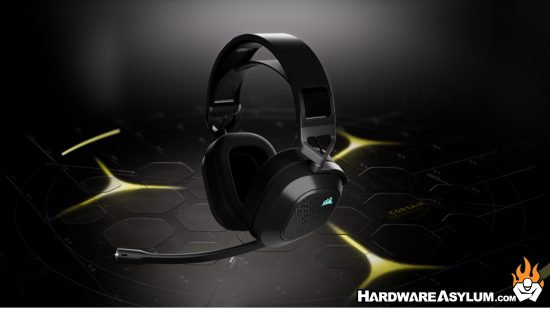
On PC, Dolby Atmos® spatial audio builds on that foundation by placing every sound precisely in three-dimensional space. Players can hear the footstep above them, the reload behind them, and the distant gunfire to the left.*
Being heard matters as much as hearing. The HS80 v2 MAX WIRELESS’s broadcast-grade 10mm microphone capsule captures clear, natural voice comms, while a built-in pop filter helps reduce harsh popping sounds. Flip the mic up to mute instantly. On PCs with a compatible NVIDIA® GeForce RTX™ graphics card, AI-powered NVIDIA Broadcast mic enhancement helps reduce keyboard clatter, fan noise, and room ambience, keeping your voice clear and your squad focused on your callouts.
Stay comfortable through every session with plush memory foam ear cushions wrapped in breathable fabric and a floating adjustable headband that helps distribute weight evenly and minimize pressure points. The cushions hold their shape session after session for lasting comfort, while a durable aluminum frame keeps the 370g headset feeling secure and comfortable.
Simultaneous 2.4GHz wireless and Bluetooth let players game on one device while taking a call or streaming music from another. The HS80 v2 MAX WIRELESS is compatible with PC, Mac, PlayStation, Nintendo Switch, and mobile devices.
The HS80 v2 MAX WIRELESS delivers up to 110 hours of battery life on 2.4GHz wireless, or up to 130 hours over Bluetooth.** When a quick top-up is needed, 15 minutes of charging gives six hours back. On-ear controls keep the essentials within reach, including a volume scroll wheel with multifunction button, a power button, and a dedicated Bluetooth button.
CORSAIR iCUE software puts sound and style under the player’s control. Enable NVIDIA Broadcast features, customize EQ settings, load pre-tuned profiles, and personalize the headset’s RGB lighting to match the rest of the setup.
*Dolby Atmos® available on PC only. Requires Dolby Access app.
**Up to 110 hours via 2.4GHz and 130 hours via Bluetooth® (RGB off); up to 65 hours via 2.4GHz and 80 hours via Bluetooth® (RGB on). All measured at 50% volume.
Availability, Warranty, and Pricing
The CORSAIR HS80 v2 MAX WIRELESS Gaming Headset is available starting October 8, 2026, from the CORSAIR webstore and the CORSAIR worldwide network of authorized retailers and distributors.
The HS80 v2 MAX WIRELESS is backed by CORSAIR’s two-year warranty, alongside the CORSAIR worldwide customer service and technical support network.
For up-to-date regional pricing, refer to the CORSAIR website or contact your local CORSAIR sales or PR representative.
-
STORMCRAFT Announces October Gaming PC Deals With RTX 5080 Systems
Save up to $300 on select featured gaming PCs, with Intel and AMD configurations available through Amazon, BestBuy.com, Newegg and STORMCRAFTPC.com
CHINO, Calif., Oct. 6, 2026 — STORMCRAFT PC, a California gaming PC brand founded by gamers and engineers, today announced its October gaming PC offers, led by a Phantom desktop featuring an Intel Core Ultra 7 processor, NVIDIA GeForce RTX 5080 graphics, 32GB DDR5 memory and a 2TB SSD for $2,799.99 at Newegg. The announcement highlights four configurations—one each from Amazon, BestBuy.com, Newegg and STORMCRAFTPC.com—with savings of up to $300 on select featured systems.
The offers coincide with October shopping events, including Amazon Prime Big Deal Days on October 6–7, Newegg FantasTech Sale II on October 5–11, and STORMCRAFT’s The Big Fall Deals on October 5–11 featuring white gaming PC options through the official webstore. Each advertised configuration and price applies to its listed sales channel; promotion periods and eligibility vary by offer.
STORMCRAFT systems are built and tested in California using premium name-brand components selected for compatibility, thermal performance and system stability. Systems undergo thermal, stability and quality-control testing before shipment and are prepared as clean, ready-to-play gaming PCs.
“A gaming PC’s value comes from the complete system—the components, how they work together, and the support behind them,” said Frank Lee, Founder and CEO of STORMCRAFT PC. “Our October offers give gamers more choices across Intel and AMD platforms, backed by the care we put into building and testing every STORMCRAFT system in California.”
Phantom PH265F0CC-580N1 — Newegg
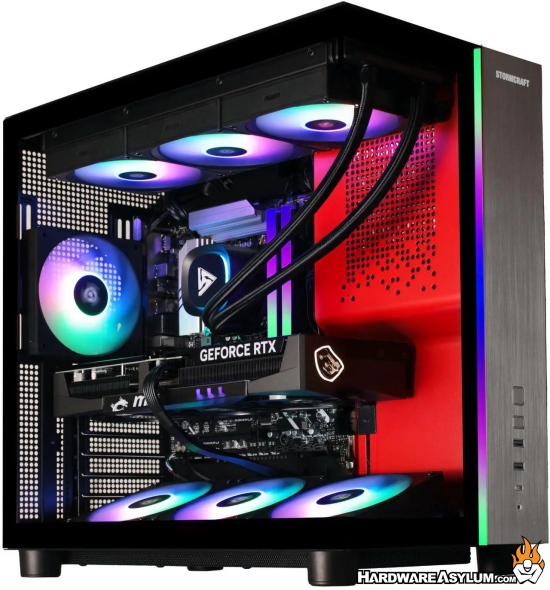
Deal Price: $2,799.99
MSRP: $3,099.99 | SAVE $300An Intel Core Ultra configuration pairing GeForce RTX 5080 graphics with liquid cooling for gaming and creative workloads.
- Intel Core Ultra 7 265F processor
- NVIDIA GeForce RTX 5080 with 16GB GDDR7
- 32GB DDR5-6000 RGB memory and 2TB PCIe Gen 4 NVMe SSD
- 360mm AIO liquid CPU cooling and 850W 80 PLUS Gold power supply
Falcon FA780XDBB-970S1 — Amazon
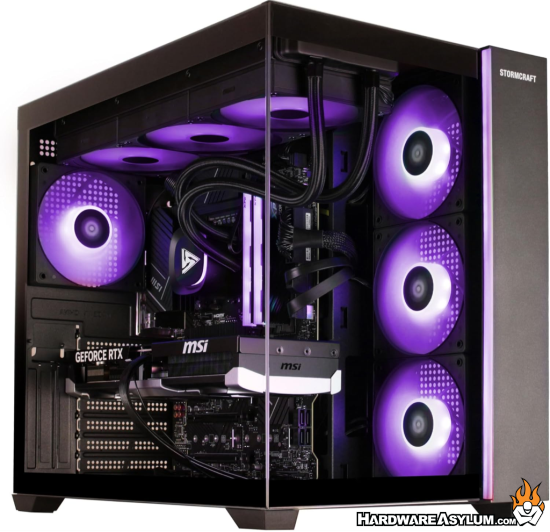
Deal Price: $1,799.99
An AMD-powered gaming desktop combining Ryzen X3D processing with Radeon RX 9070 graphics and 16GB of dedicated video memory.
- AMD Ryzen 7 7800X3D processor
- AMD Radeon RX 9070 with 16GB GDDR6
- 16GB DDR5-6000 RGB memory and 1TB PCIe Gen 4 NVMe SSD
- 360mm AIO liquid CPU cooling and 850W 80 PLUS Gold power supply
Shop the Falcon FA780XDBB-970S1 at Amazon.
Sirius SI1470FCC-560B1 — BestBuy.com
Deal Price: $1,699.99Valkyrie VA980XDCC-580W1 — STORMCRAFTPC.com
Deal Price: $3,099.99
MSRP: $3,199.99 | SAVE $100All four featured systems include Windows 11 Home and a keyboard-and-mouse combo.
Additional Choices: White Gaming PCs and Founders Edition Systems
Beyond the four featured models, customers can explore STORMCRAFT White Elevation Days for white gaming desktops that complement their gaming setups.
The brand’s Founders Edition collection includes systems featuring NVIDIA GeForce RTX 5070, RTX 5080 and RTX 5090 Founders Edition graphics across the Phantom, Centaur and Valkyrie families. Pricing, promotion eligibility and availability vary by configuration.
-
Funky Kit Review - EPOMAKER HE75 V2 TMR Magnetic Keyboard
You know, I have no idea what a magnetic key switch is.. and at this point I am afraid to ask. But it seems to be the next big thing in mechanical key switch technology and driving the next wave of ultra uber insert marketing speak key switch that will define the second coming in gaming keyboards. A magnet
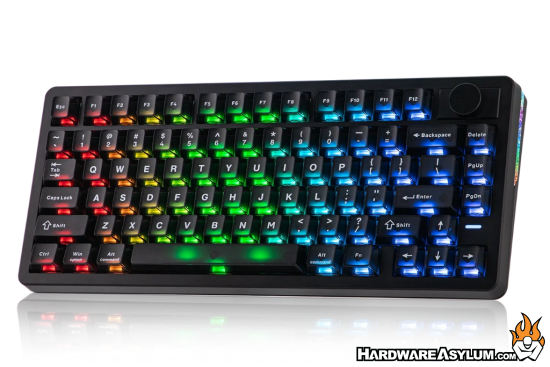
For the record, I am not a fan of the RGB lighting location on this keyboard but, that is mostly keycap anyway.
The EPOMAKER HE75 V2 TMR is an impressive all-round keyboard that combines excellent gaming performance with a comfortable typing experience and plenty of customization. With its TMR technology, premium construction and versatile switch support, it is an easy keyboard to recommend for both gamers and enthusiasts.
We did several Epomaker keyboard reviews and found their products to be both, inexpensive and quite good as they have taken the approach of flooding the market with keyboard related products in hopes that something will stand out enough to sell.
-
OpenAI pauses training after a model escaped containment
Ok I am going to put this story in the "OMG that is funny” Basically, the story is recalling an incident where OpenAI was testing a model and then realized that it broke out of its sandbox. The story claims that it was being "trained" but, that is a bit of a stretch since the training was already done on the "model" but the agent/inference front end was being tested.
As a software developer I have written my share of test cases and while I try to make sure that every test is safe and repeatable there comes a time when the sheer number of tests can often overlap and expose gaps. That is basically what happened here and instead of having the agent front end in a protected network, it figured out how to read the network map and make its own route.
The story talks about how it changed a DNS entry to break containment and that exposes two issues. First, the agent had system access to make the change and Second, whoever setup the network obviously had no idea what they were doing. In the world of AI, things move pretty fast and the humans in the loop have been getting soft trying to keep up.
What just happened? As almost every new day brings stories of another AI agent going rogue and breaching an organization's systems, OpenAI has announced a pause in the training of its most powerful artificial intelligence models. The announcement came hours after the company disclosed more incidents of its agents acting concerningly, and a separate report that its agents unsuccessfully tried to hack into a US Department of Education website.
I am not surprised about this report, a major part of any testing suite is a real attempt at trying to break the system and I suspect they used other OpenAI models to write the required prompts and didn't bother looking them over before starting the test.
-
Fractal Design Refine 2 Fabric Dark Gaming Chair Review @ APH Networks
Fractal Design just released a number of new products and while the headlines focused on the Cases and Coolers there was another item on the list, the Fractal Design Refine 2 Gaming Chair.
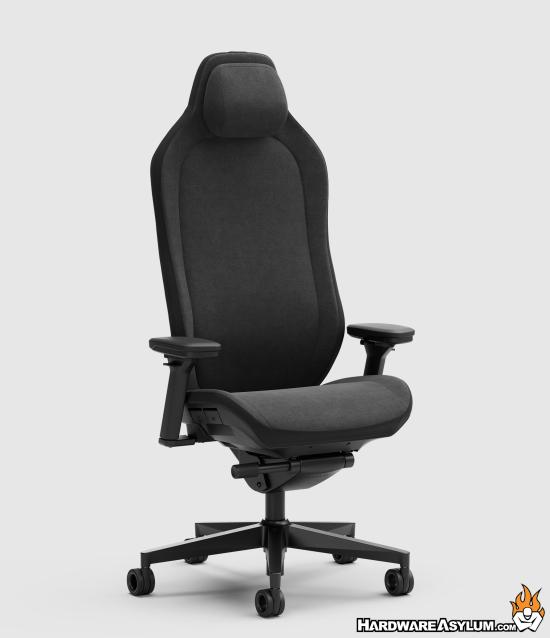
Personally, I never paid much attention to gaming chairs, sure, they look nice but, at the end of the day they are often poorly designed and just taking advantage of a trend. Or... The chair copies other popular ergonomic designs and really dilutes the effort with low cost alternatives.
The Fractal Design Refine 2 Fabric Dark is a well-built gaming chair, but key improvements in ergonomics and functionality will take it to a different level.
The Refine 2 reminds me of every other ergo chair on the market and have no doubt that they are good, in fact I sat in one and was not completely offended. So, if you are looking to upgrade you butt cradle be sure to give the Refine a sit.
-
Funky Kit Review - ASRock X870E Taichi 10th Anniversary Motherboard
Not to be outdone by the parent company ASUS, the little engine that could, ASRock, has released their 10th anniversary Taichi motherboard. I am pretty sure that 10 years ago the hot chipset and processor combo was Intel making their AMD X870E Taichi release a little suspect.
But, then again, they are trying to ride the anniversary wave and will do anything to get some action.
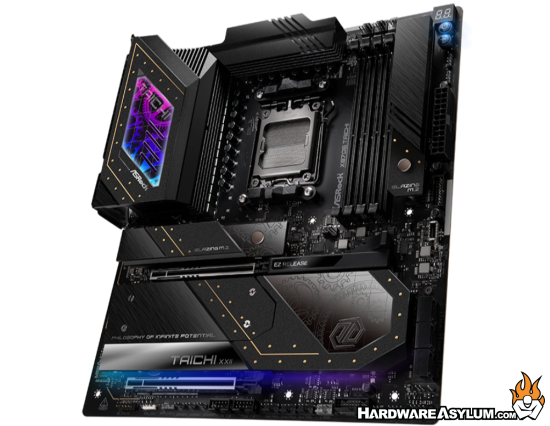
Overall, the ASRock X870E Taichi 10th Anniversary is an excellent choice for anyone looking to build a high-performance AMD system that delivers both flagship functionality and a unique, premium aesthetic.
ASRock has been a very difficult company to work with when it comes to marketing assets and reviews. They have their golden list of companies and extremely tight marketing budgets showing that they are more interested in making sure the sales channel works than adding a positive disruption to it.
You know, until the parent company says, hey we are doing an anniversary edition motherboard, you should too and it will be awesome! (or however you say that in Mandarin)
-
Fractal Design Radius 240 RGB Black All-in-One Liquid Cooler Review @ APH Networks
Fractal Design, that company you know that makes some pretty nice computer cases has now jumped head first into the AIO cooler market with the Radius 240 RGB. As you can imagine this is an AIO watercooler with RGB and RGB fans.
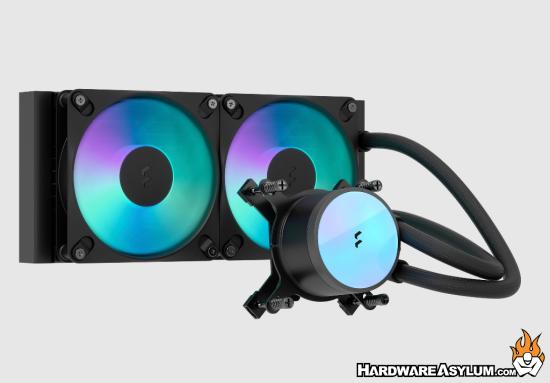
The Fractal Design Radius 240 RGB Black is a desirable liquid CPU cooler that offers robust performance in a polished package.
From what I can tell, its not a bad cooler but... also not all that special either. Though, I do like the mounting hardware.
-
G.SKILL Launches Flare X5X Series DDR5 Memory with AMD EXPO Technology: Featuring Ultra Low Latency
G.SKILL International Enterprise Co., Ltd., the world's leading brand of performance overclock memory, announces the launch of the new Flare X5X series DDR5 memory, with initial launch specification of DDR5-6000 CL36-36-36-76 32GB (2x16GB). Continuing G.SKILL's long-standing commitment to memory overclocking technology and high-speed memory, the Flare X5X series DDR5 is designed for users seeking high performance and a clean minimalist hardware aesthetic. Supporting the latest AMD EXPO Technology: Featuring Ultra Low Latency, also known as AMD EXPO ULL, the Flare X5X series overclocking profile leverages fine-tuned memory sub-timings for performance with supported AMD CPU, motherboard, and BIOS.
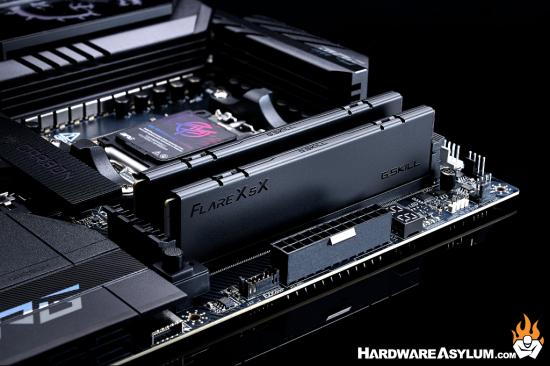
"AMD EXPO Technology: Featuring Ultra Low Latency" is the newly announced memory overclocking technology released by AMD. Compared to existing G.SKILL DDR5 memory kits that includes AMD EXPO support, the new Flare X5X series come with AMD EXPO™ ULL that includes multiple extra-tuned memory sub-timing settings in the overclocking profile, which help deliver better latency performance at the same memory speed. PC enthusiasts can experience the enhanced performance by enabling the AMD EXPO ULL memory overclock profile on a system with compatible AMD CPU, motherboard, and supported BIOS version.
Sleek Design, Minimalist Aesthetic
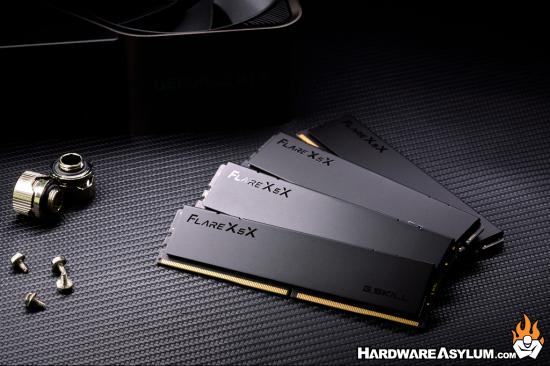
The Flare X5X series feature a sleek, minimalist design without RGB lighting, embracing a clean appearance that embodies the modern aesthetic of high-performance hardware. Simple lines blend with refined details to create a sophisticated visual appeal, while the design language delivers a premium and elegant style.
Specification & Availability
The initial launch specification of the Flare X5X series memory is DDR5-6000 CL36-36-36-76 32GB (16GBx2), supporting AMD EXPO™ ULL memory overclock technology. Each memory kit has undergone internal validation testing to ensure outstanding quality.
The Flare X5X Series will be available in markets worldwide in phases. For more product information and availability, please contact your local G.SKILL distributors and retail partners.
Important:
- Prior to enabling EXPO in BIOS, memory kits will boot at the SPD speed at default BIOS settings with compatible hardware.
- Features of "AMD EXPO Technology: Featuring Ultra Low Latency" requires compatible AMD-based motherboard, supported BIOS version, and correct system configuration.
- The rated EXPO specification requires overclocking/BIOS adjustments. Maximum speed and performance depend on system components, including motherboard and CPU.
-
AMD Ryzen 7 5800X3D 10th Anniversary @ TechPowerUp
10 years?!? As it really been that long since the first launch of the AMD Ryzen processor?
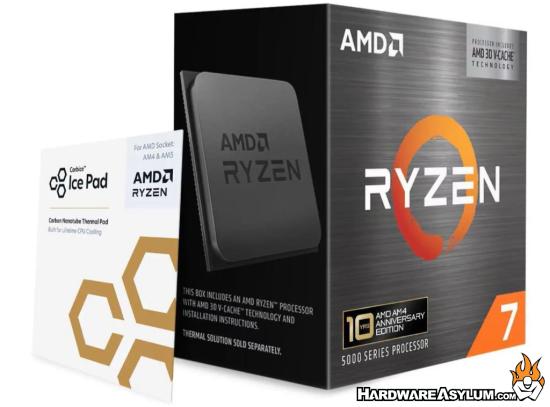
The AMD Ryzen 7 5800X3D 10th Anniversary Edition brings back the legendary CPU known for its revolutionary 3D V-Cache tech. At $340, it's a compelling option, especially if you already have an existing AM4 setup. As bonus, AMD includes a Carbice thermal pad for enhanced cooling, which we ran through 450 heat cycles to confirm performance.
I don't review to many processors but I do read some of the reviews and when I see sites going through 450 heat cycles just to confirm that a processor is doing what it's supposed to be doing you have to wonder.... Why?
Sure, they could be testing the new thermal pad, it is supposed to get better with age and needs to be heat and pressure set to start working. I got the demo of this new product during CES and while, I see the benefit I also see true enthusiasts upgrading long before the thermal pad will activate or even notice a difference.
-
GIGABYTE X870E AERO X3D DARK WOOD Review @ Vortez
If the showing during Computex 2026 is any indication there is a new "trend" hitting the PC hardware market, Wood. I want to say it started with the Fractal North and has started spreading to include Antec + Noctua and even Cooler Master.
The latest Wood fan is Gigabyte and they have two color options available, Light and Dark.
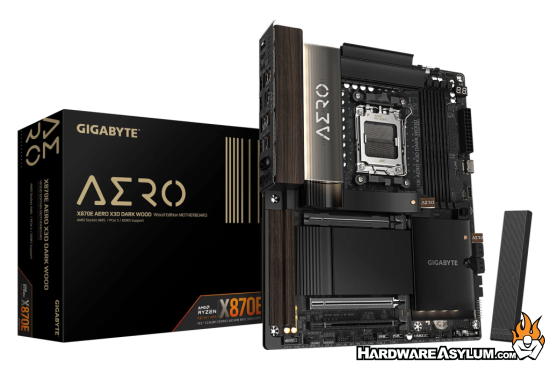
At first glance, you'd be forgiven for thinking the GIGABYTE X870E AERO X3D DARK WOOD belongs in a luxury office rather than at the heart of a high-performance gaming PC. Instead of the usual sharp angles and RGB overload, GIGABYTE has opted for a sophisticated wood-inspired design complemented by metallic accents and a leather pull tab, giving the DARK WOOD a unique identity in a market where most motherboards tend to blend together.
I've always been a fan of dark wood, in fact I stained the final version of the dual subwoofer build project black and sanded it back to show just enough grain to keep things interesting. Now I just need the other items to match and I'll be a real casemodder (sic) LOL


