
be quiet! Light Base 500 LX Case Review
Author: Dennis Garcia
Case Layout and Features
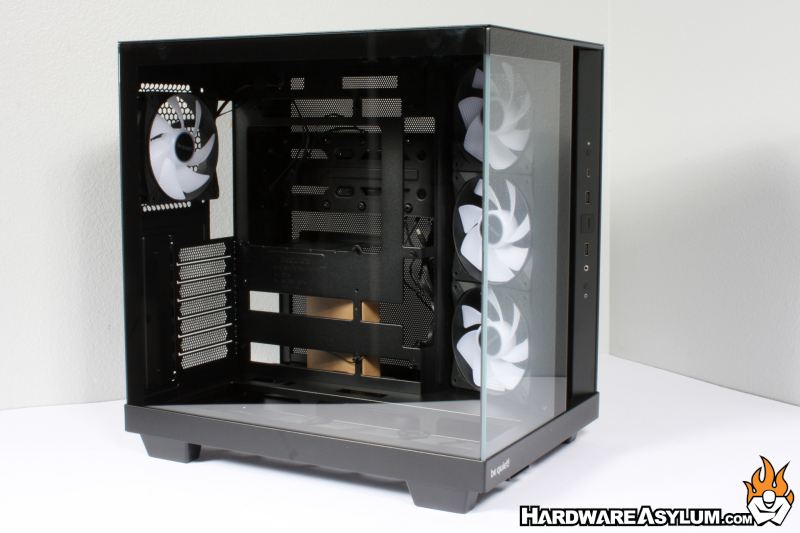
A term I prefer to use when describing a dual chamber chassis “Corner Office” since the design allows you to see everything going on inside the case. The Light Base 500 LX features two full height tempered glass panels that show everything inside the motherboard section of the chassis. These are clear glass panels with no shading applied and a few strips of color to hide the mounting rails that have been bonded to the glass.
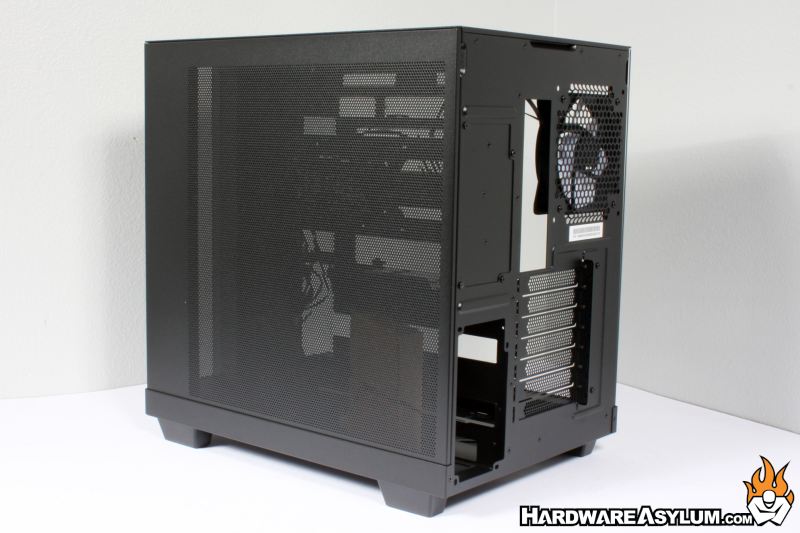
Turning the case around will expose a fully perforated back panel. I have seen many different panel designs over the years from sheets with embossing for additional cable access to fan holes and even tempered glass. I must say I am not a fan of perforated metal. Sure, it looks cool but really serves no practical purpose, screws up airflow, makes the panel weaker and will be full of dust in a matter of months.
The case comes with seven expansion slots in the deceivingly annoying external screw configuration. I have gone on record many times and how I loathe this configuration as it puts the expansion card screws outside of the chassis and makes the back panel extremely flexible. It also makes the expansion cards difficult to install since you need to route the brackets though the case while still attempting to line them up with the motherboard. The whole design is just lazy and indicates an attempt to lower manufacturing costs.
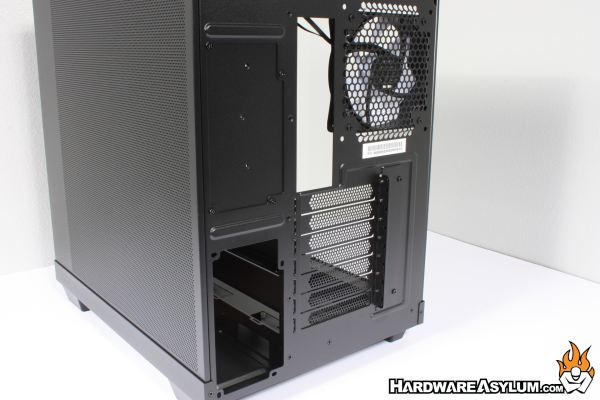
In addition to the seven expansion slots there is also allowance for two PSU mounting locations. This is intended to provide flexibility in system builds but could be a cheater way to convert the Light Base 500 LX into a budget workstation.
Front panel connections are located on a vertical pillar to the far right of the Light Base 500 LX. These controls consist of three USB ports including a single Type-C, large power button, reset button, analog audio jack and a button to control the included RGB controller.
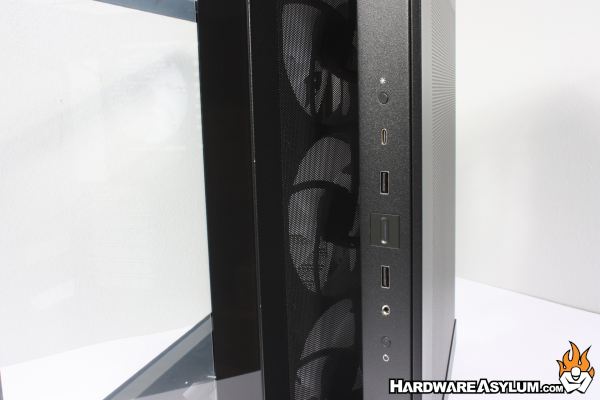
One of the unique features of the Light Base 500 is the location of the intake fans. On most dual chamber designs you will find the fans mounted to the motherboard tray and will often suck or expel air from behind the motherboard tray instead of from outside the case. By mounting these fans at an angle, a gap is created allowing for fresh air to be drawn in without totally destroying the front panel aesthetic.
More on this to come.
