
SilverStone FLP03 Retro Inspired MicroATX Case Review
Author: Dennis Garcia
Case Layout and Features
The SilverStone FLP03 does not come with any side panel windows which really keeps with a true retro PC aesthetic. Of course, for us casemodders, adding a window is extremely easy.
With the side panel removed we can get a look at the case internals. As mentioned, the FLP03 supports MicroATX and smaller motherboards, there is an extremely large heatsink access hole in the motherboard tray along with access for reverse connector motherboards around the perimeter.
The vertical brace is for GPU support to prevent our monster GPUs from sagging and causing unwarranted damage.
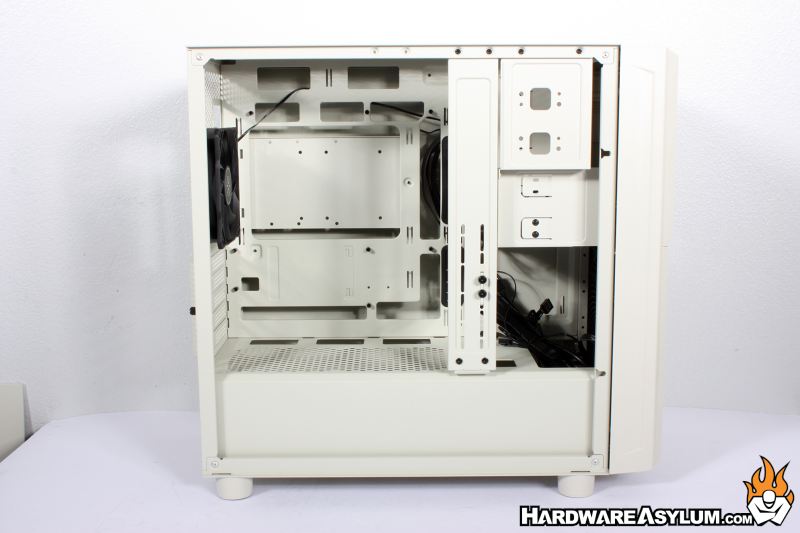
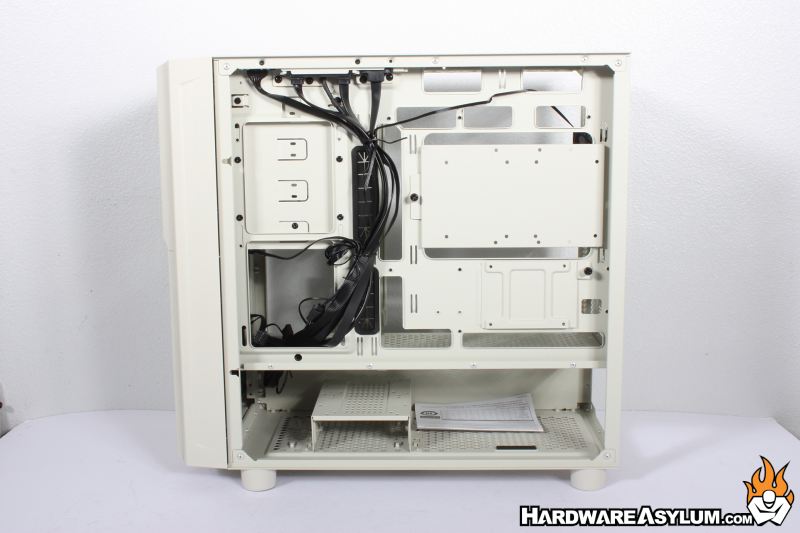
Flipping the case around will expose the cable routing locations in addition to internal hard drive and SSD storage locations. Front panel cables run vertically down the middle of the case. 2.5” SSD drive panels are located behind the motherboard tray while a single 3.5” drive location can be found at the bottom of the case.
One of the most iconic features of retro computer cases is the dashboard. On early 386 and 486 machines they would often have a two-digit display that would ideally display the CPU frequency. This was manually defined so, you could make it say anything you wanted but, this display would change when pressing the turbo button. On these early machines the turbo switch would control a high and low CPU frequency, mostly to allow users to play older, speed sensitive, software.
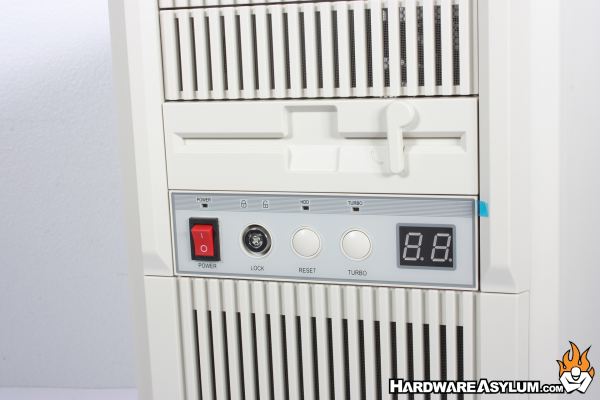
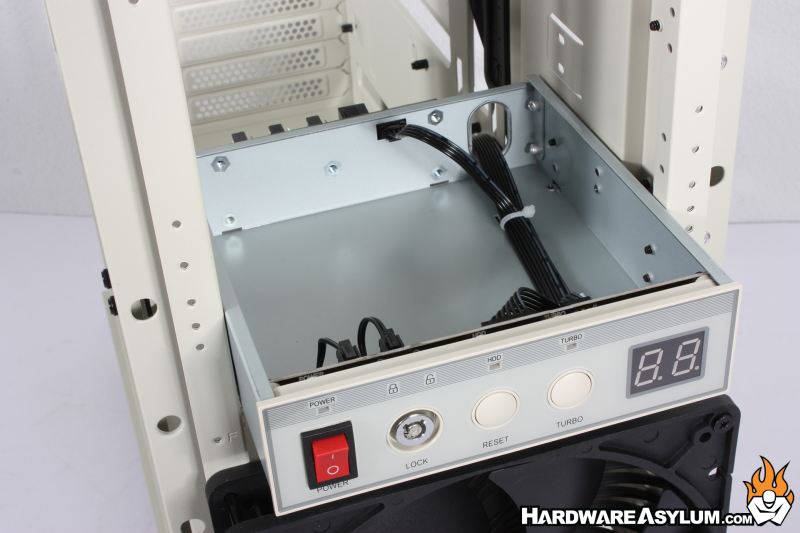
On the FLP03 you have the same dashboard found on the FLP02. The red switch can be wired to turn on the PC. The large reset button will reset the machine. To the right of the power switch is the keylock and will disable the power and reset buttons.
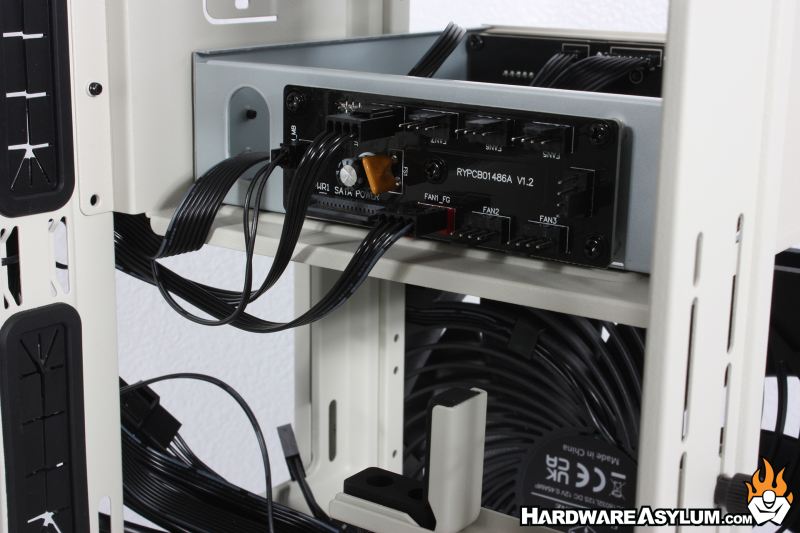
Fan controls can be routed through the dashboard and controlled with the Turbo button. Pressing turbo will disable the PWM switch and force the fans to run at 100%. Pressing the button again will return the fans to PWM control and the two-digit display will indicate the PWM signal value.
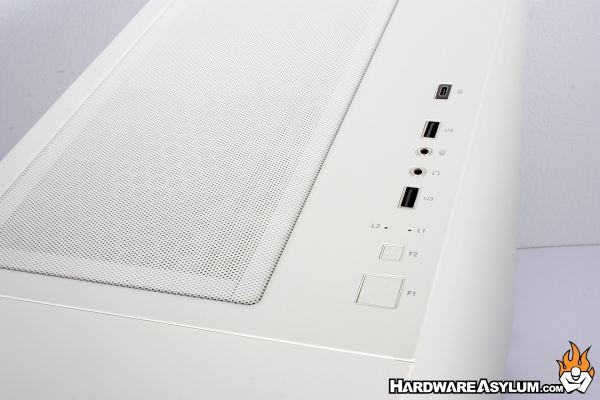
What I find interesting is that SilverStone left the factory front panel controls enabled on the FLP03 and you will find them at the top along with USB ports, analog audio controls and status lights.