
SilverStone HS14 4k HDMI Splitter Review
Author: Dennis Garcia
Introduction
One of the main reasons for running a website like Hardware Asylum is to share passions and information with others. This website was established to share product reviews but, I have been known to write informational articles about AI, Overclocking, Retro PCs and more. In addition to writing, I have also shared content on YouTube, done Live Streaming and even Live Events where I shared my passion for extreme overclocking with LN2 demonstrations.
While sharing is caring it is important to understand that context is key to help others understand what is going on or, why doing something a certain way is important. When I was doing live overclocking it was important that I shared my screen so viewers could see what is going on. The same goes for my Retro PC adventures however, since there is less environmental drama, those systems work best as a live stream.
To accomplish this, I used a device called an HDMI splitter. When overclocking it was important to limit system activity so, instead of using a secondary monitor output I would split the signal across my monitor and a larger TV. For Retro PCs the process is the same but resembles what you would do for a game console.
In this review we will be looking at a new product from SilverStone called the HS14. This is a 4k HDMI 2.0 Splitter supporting a single input and up to four outputs. The SilverStone HS14 is part of their HDMI accessories line with products including HDMI Switches and Splitters that support modern displays and 4K video.
- HDMI LA certified, supports HDCP 2.2 for lossless 4K streaming output
- Equipped with a stable IC design, tested for uninterrupted 48-hour continuous playback
- Built-in power management chip provides short-circuit and overheat protection
- HDR10 and Dolby Vision support
- Supports up to 4K/60Hz resolution with downscaling function, enabling simultaneous 4K and 1080p output
- Gold-plated connectors for enhanced oxidation resistance and durability
The design of the HS14 is very typical for similar products and resembles a network switch. You will find status lights indicating power and active ports on the front.
Along the left side of the device, you will find the EDID switch block. EDID stands for Extended Display Identification Data and is how you can hard-code the identification data on the video stream. This data is used by your monitor to determine how it will configure the display, set resolution and even color.
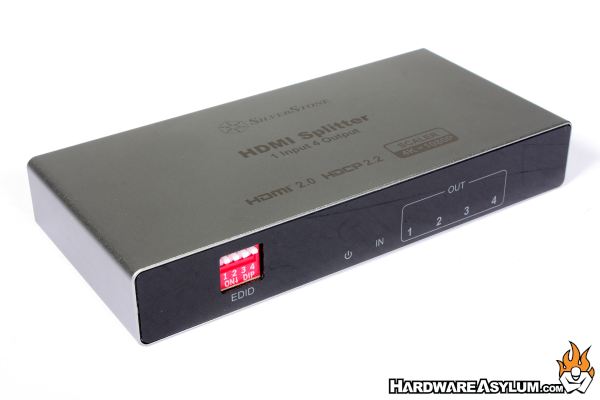
These switches are how you can re-configure the output to either match the source stream or match the output of the panel. For instance, if you have 4k panels you can use the splitter to tell the panels that the input signal is 4k. This is part of the scaler feature built into the splitter and works to maintain the signal metadata and to allow downscaling to the next supported resolution.
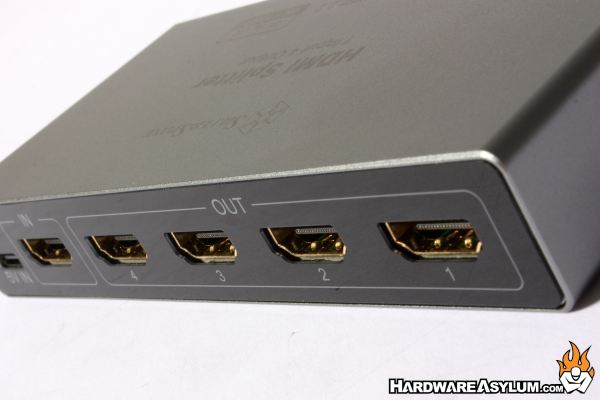
Turning the device around you will find five gold plated HDMI connectors. At the far left is the input connector with output consuming the remaining ports. I did determine that it doesn’t matter which port you use as the same signal is delivered to each which leaves the port number for identification purposes only.
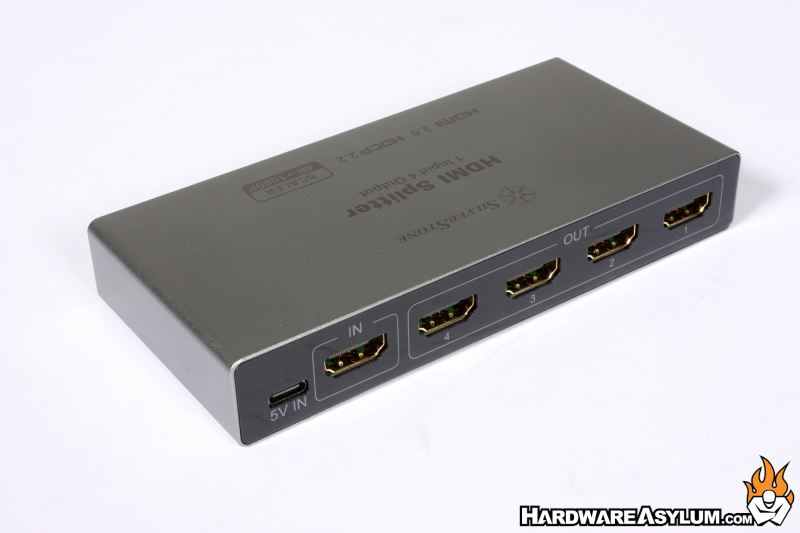
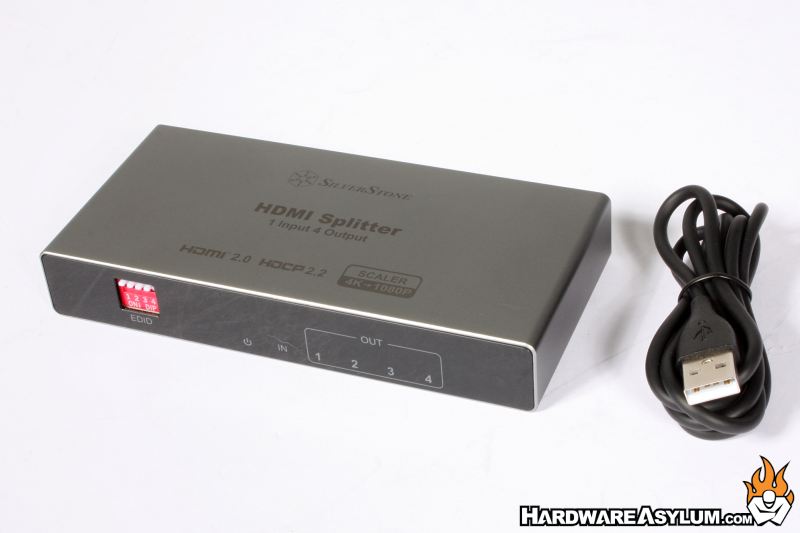
Power is delivered through a USB Type-C cable at 5 volts and can be powered by a USB brick or through any available USB port on your PC.
One of my longest running projects has been Retro PCs allowing me to dive back into the Ninjalane hardware archives and revisit the way desktops were built and used. As part of that process, I am going to start a streaming series that I call “Real Retro Gaming” where I play old games on period correct hardware.
One of the key components to make this work is an HDMI splitter and is how I tested the SilverStone HS14. For this system to work I run the D-SUB VGA signal into a device called a Scaler that will upscale the video signal and ensure a consistent video resolution is being output. That creates an HDMI signal that I can then split with one signal going to a modern LCD flat panel while the other signal goes directly into my Elgato HDMI capture device. From there I can choose to capture the signal to a video or stream online using OBS.
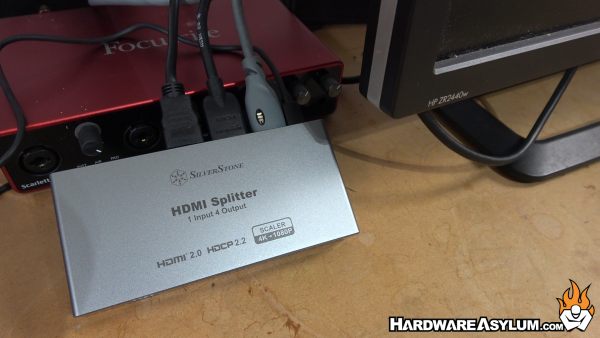
What I discovered is that the HS14 is very consistent about the signals it generates during the HDMI split. If you configure it for 1080p video, that is the signal that is sent to your monitor. Normally your monitor will adjust the resolution to best fit the format of the panel but the EDID configuration ensures that the signal being sent is what is expected.
This can cause issues if your LCD is a 1920x1200 native attempting to show a 1080p signal, there will be a picture and it will look weird. Likely wise, if your panel doesn’t support 1080p you will get an out-of-range error with no picture. Neither of these situations is typical or, likely to happen on modern panels.
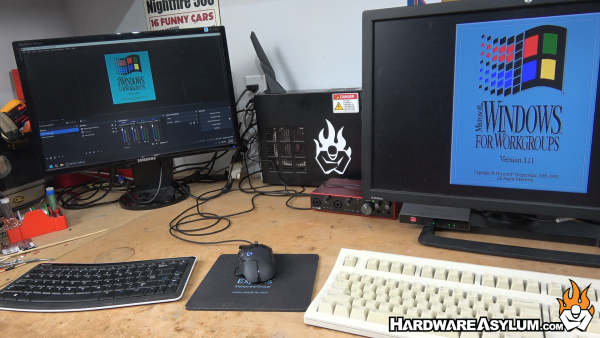
One of the features of the HS14 is the ability to show simultaneous 4K and 1080p output allowing you to mix and match panels. Unfortunately, the scaler feature only works to downscale the video signal meaning that you cannot magically take a 1080p input and upscale it to 4k. Your monitor will show the signal but with the 1080p source signal.
Overall, the HS14 from SilverStone is a really good HDMI splitter, does what it says and can be used to show an HDMI video signal on multiple displays without hassle. One of the most common uses is when you have a video wall that needs to show the same video signal or want to share a video stream in different rooms.
For me, I am using the HS14 as a key component for my game stream project where I need to capture a video signal for broadcast but also have that capture fast enough to overlay audio in real time. If the splitting signal isn’t fast enough the sound can get out of sync leading to low quality streams and a very angry gamer. The SilverStone HS14 delivers this at 4k and without issue.
Four HDMI Video Output
View 4K and 1080p at the Same Time
HDR10 and Dolby Vision Support
USB Powered Switch
EDID Output Controls
EDID metadata very aggressive
Delays during signal switching
Doesn’t come with feet

Recommend
https://www.hardwareasylum.com
