
SilverStone WS380-E Workstation Case Review
Author: Dennis Garcia
Interface and Storage
The front bezel is purely decorative but also designed to ensure security complete with a lock to prevent unauthorized access.
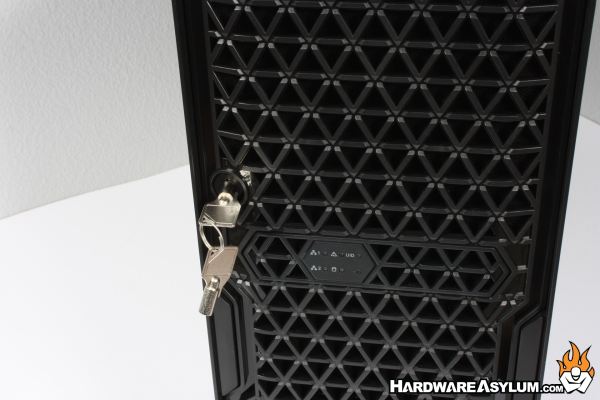
Unlocking the front panel allows it to be completely removed. This was a bit of a surprise since most locks indicate a door of some type. However, I feel this also supports the dual nature of the WS380-E. When the case is secured in a datacenter the front panel can be locked and secured. When used as a workstation chassis the panel can be completely removed and not detract from the overall style and aesthetics.
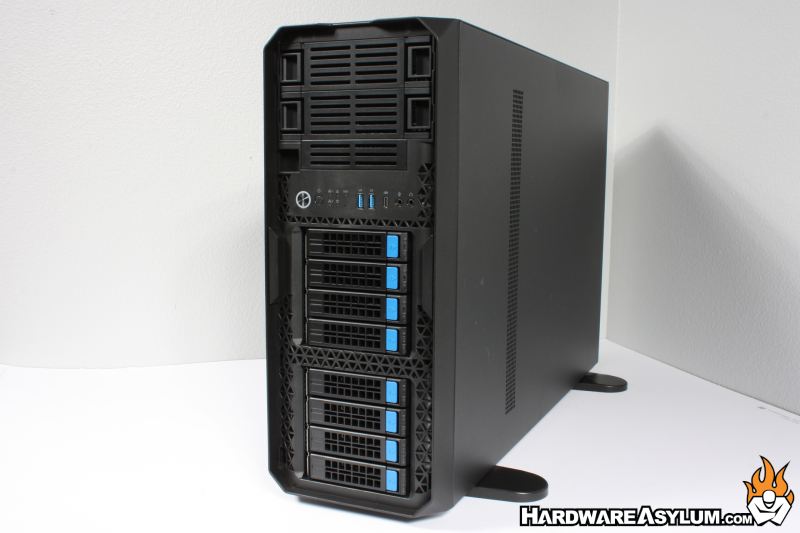
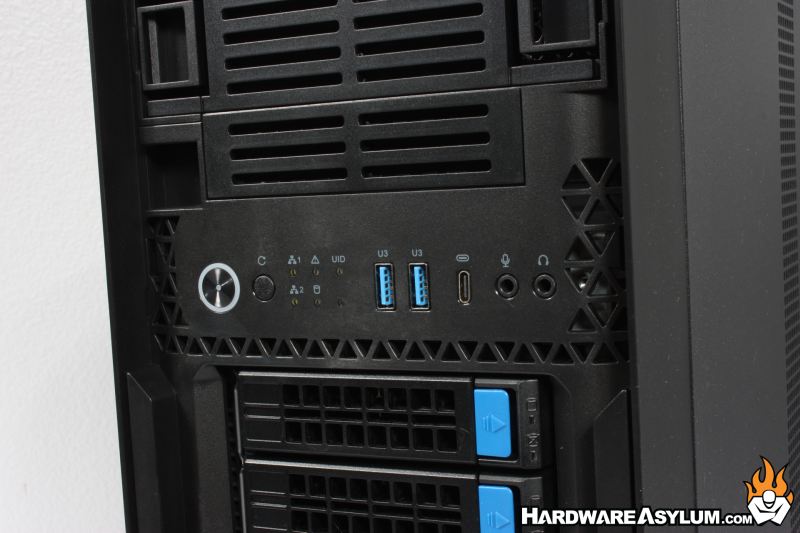
Behind the bezel you’ll find the power and reset buttons along with analog audio and microphone plugs. Two USB 3.0 and a single Type-C connection round out the front panel controls. Keep in mind the internal USB cables in this case are quite long at 800mm and will impact transfer speeds if longer cables are connected.
Should be mentioned that the status LED array does pass through to the front bezel panel and is a very nice touch.
In a nice throwback to times gone by the WS380-E has external drive bays!. Yes, this workstation class machine will allow you to install up to two external 5.25” devices and a single 3.5” device.
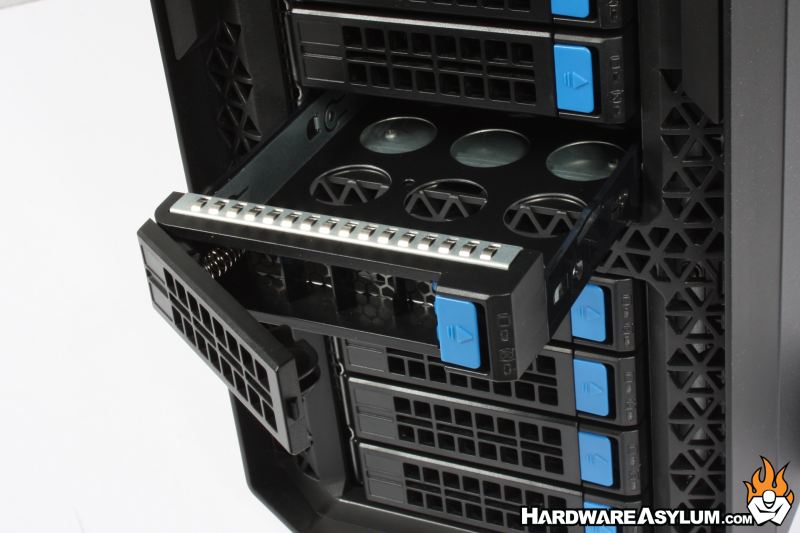
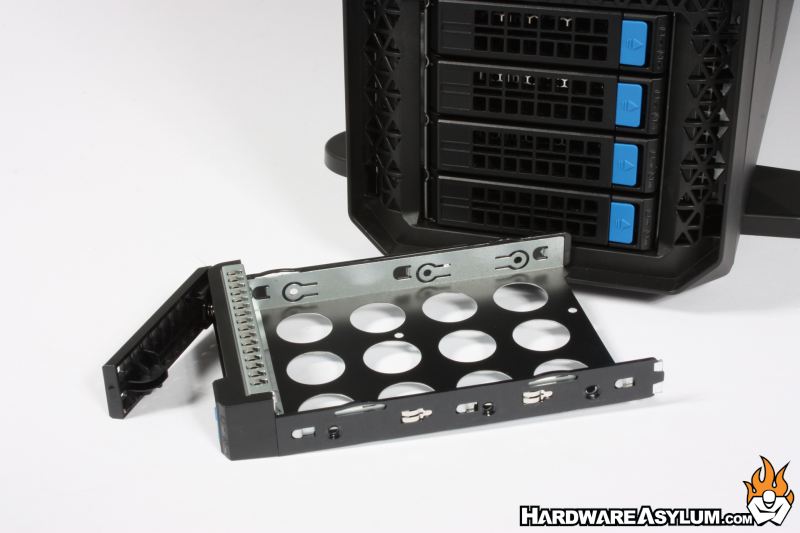
Hot-swap storage is handled extremely well with 2x four drive SATA/SAS drive cages. These cages are built quite well with a positive lock and pull handle combined with a plastic wrapped metal frame. The frame supports both 3.5” and 2.5” drives.
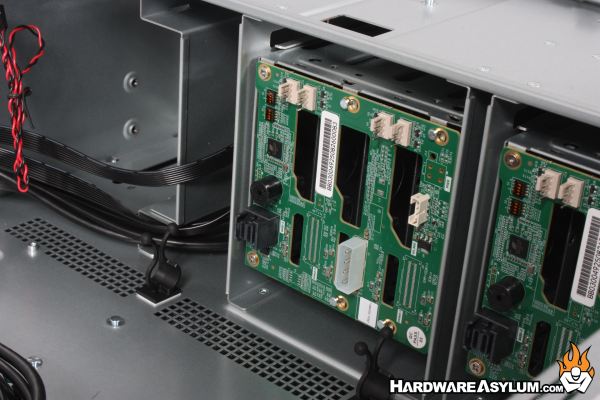
The internal backplane is also very robust with a dedicated Mini SAS SFF-8643 plug, SGPIO, alarm buzzer, power and fan headers. This is one of the more enterprise focused features of the WS380-E as many consumer grade motherboards do not have onboard SAS and adding an expansion card would limit available GPU support. Either way, the options are available and if you remove the backplane it should operate like any other drive cage.
