
SilverStone WS380-E Workstation Case Review
Author: Dennis Garcia
Case Interior
One of the features I especially like is the lock used to secure the side panel to the WS380-E. This is a standard lock found on most commercial servers and designed to provide quick access into the case without removing any panel screws.
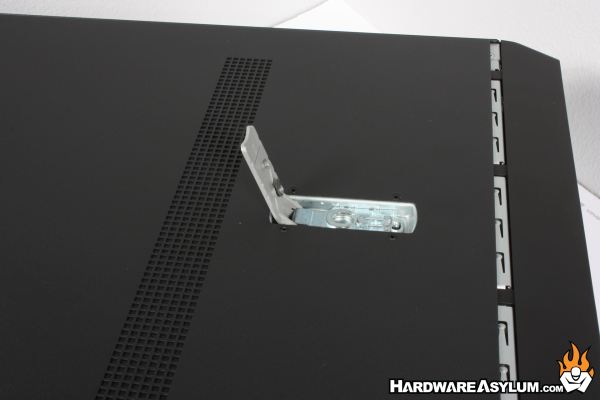
Simply depress the button and lift the latch. This will release the panel and actually push it away so the panel can be lifted off the case.
Inside you will find a very open chassis. The black panel covering the motherboard tray is an insulation sheet to prevent anything from the back of the motherboard from shorting out on the chassis.
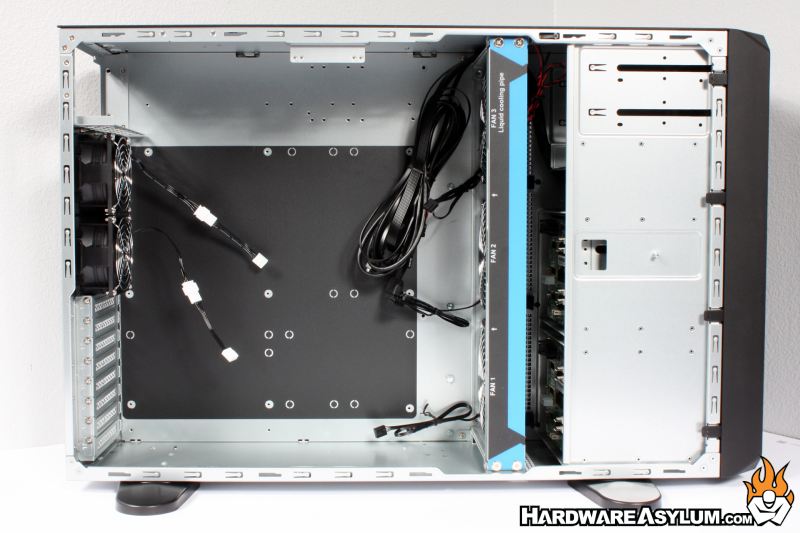
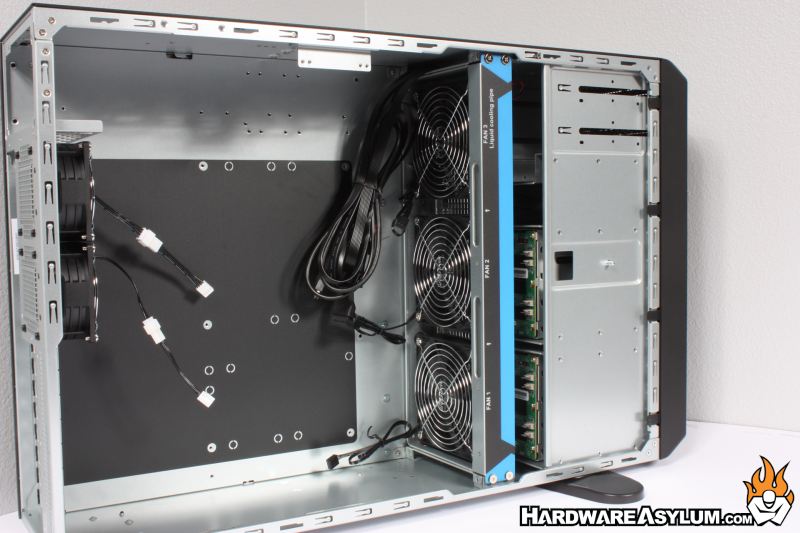
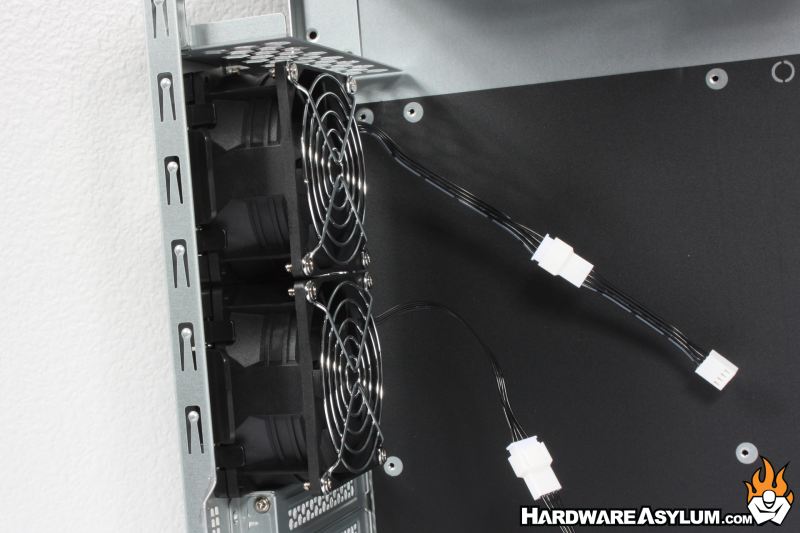
At the back you will find the two 80mm fans. These are thicker than your standard case fan at 38mm allowing them to move more air and increase pressure. Unlike with consumer level PC cases, there is no RPM disclosure. So, if you have to ask, you’re likely not going to like the answer.
At the front of the case is one of the most impressive things about the SilverStone WS380-E. On the surface it looks like a simple 360mm triple 120mm fan array but, it holds a secret. In addition to providing primary airflow across the storage array and motherboard it can hold any AIO radiator up to 360mm.
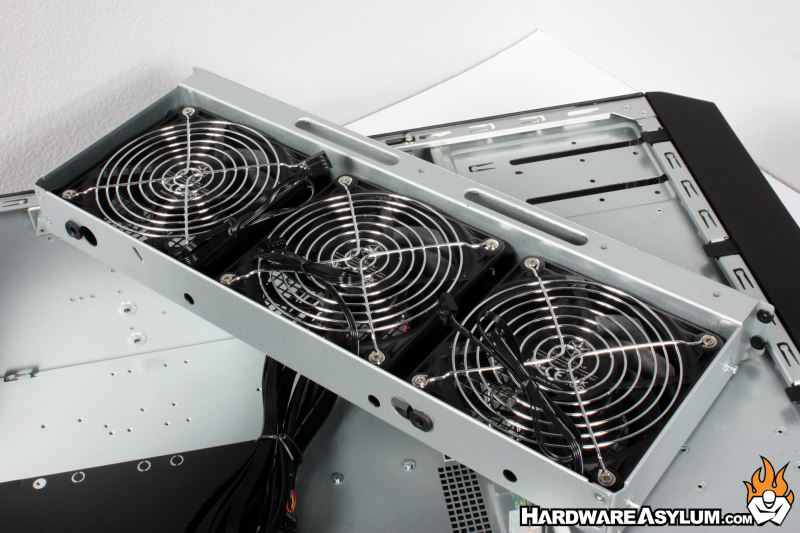
SilverStone does sell a number of enterprise grade AIOs that will fit the WS380-E in both single and dual CPU configurations.
As you would expect the SilverStone WS380-E comes with installation hardware including the security keys, fan cables, screws and zip ties. You’ll also get a couple brackets for different PSU support.
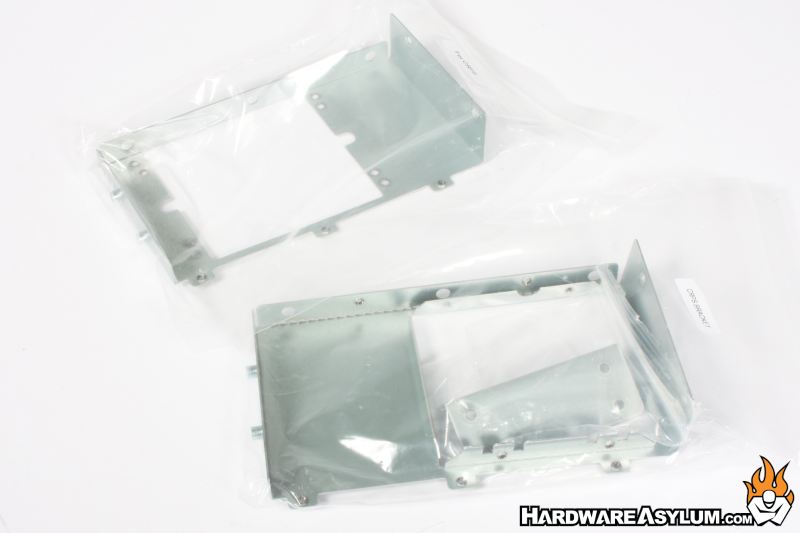
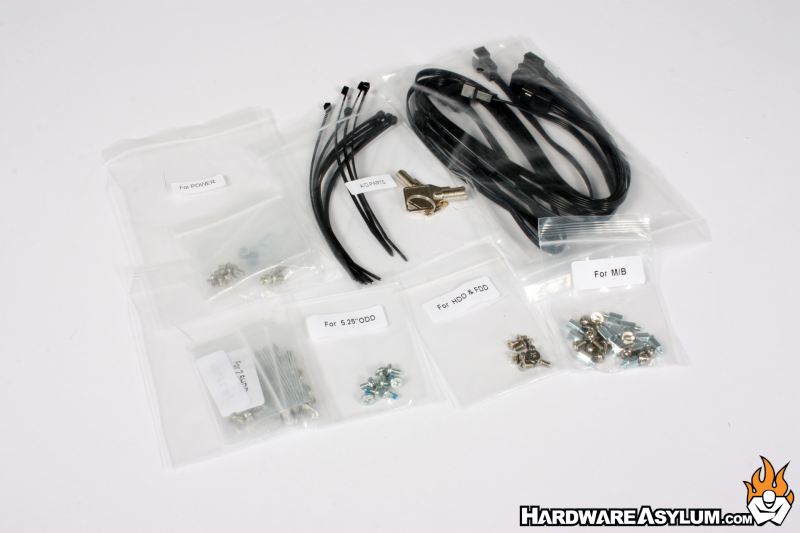
Optional items will need to be purchased separately with a convenient list found on the WS380-E product page and called out in the user’s manual.
