
Cooler Master Haf II 500 High Airflow Case Review
Author: Dennis Garcia
Case Interior and Features
A common case feature that I never fully bought into is the ramp used to capture air at the bottom of the case and direct it to the video cards. While completely functional, more often than not it looks out of place and kinda dumb. The version included with the HAF II 500 is quite elegant with a center depression while the sides completely blend with the basement panel. For any future chassis designers out there, “this” is how you do it correctly.
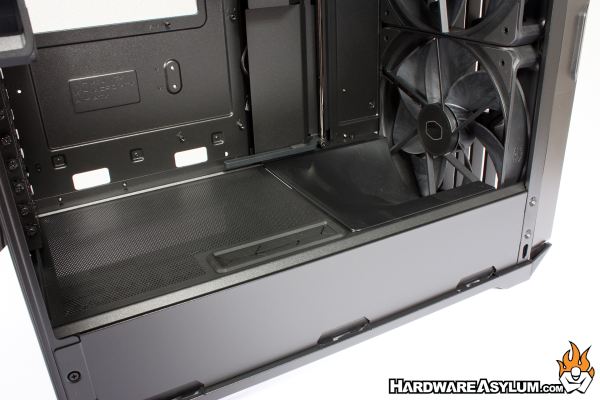
Looking upward from the ramp you will see two key features. The larger is a movable panel used to hide motherboard cables and help clean up the chassis interior. It also doubles as an air guide to direct air away from the motherboard and up towards any potential aircooler that could be installed. In a way this should help reduce noise but, works similar to the ramp at the bottom of the case.
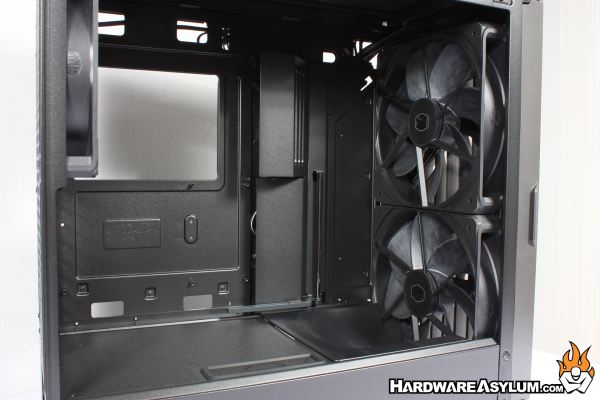
The second item is a vertical bar and a small plastic clip attached to the bottom. This is your integrated GPU support that doesn’t stand out or look stupid since it will sit behind and below the GPU instead of in front. I do question how much support this bracket can provide but, is quite sturdy. Given that the HAF II 500 supports dual GPU setups, there is an additional bracket in the box.
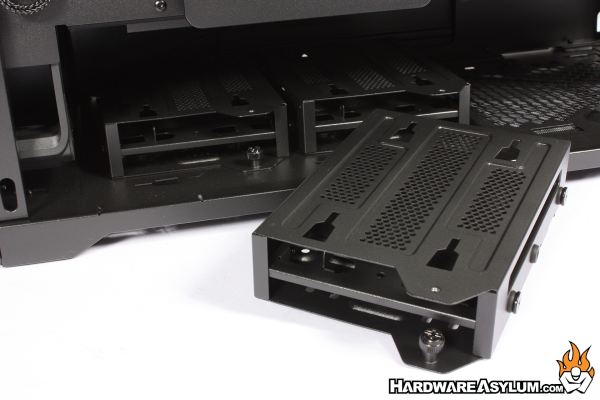
Under the basement panel you will find the included drive rack supporting up to six 2.5” SSDs or three 3.5” drives. These are secured using a single screw and interlocking clips to ensure they don’t move around unless you want them to.