
Cooler Master Haf II 500 High Airflow Case Review
Author: Dennis Garcia
Install and Conclusion
To give a sense of scale I have installed the X870E AORUS ELITE X3D Ice motherboard into the Cooler Master HAF II 500 and I must admit it fits pretty well. The HAF II 500 supports a wide variety of motherboards from the standard ATX, Micro ATX and Mini ITX up to some large designs including the E-ATX and SSI-CEB provided they are using the standard ATX hole pattern.
For those not following along, that basically means you can install larger motherboards but will only be able to use the ATX standoff pattern which means this an ATX only chassis design.
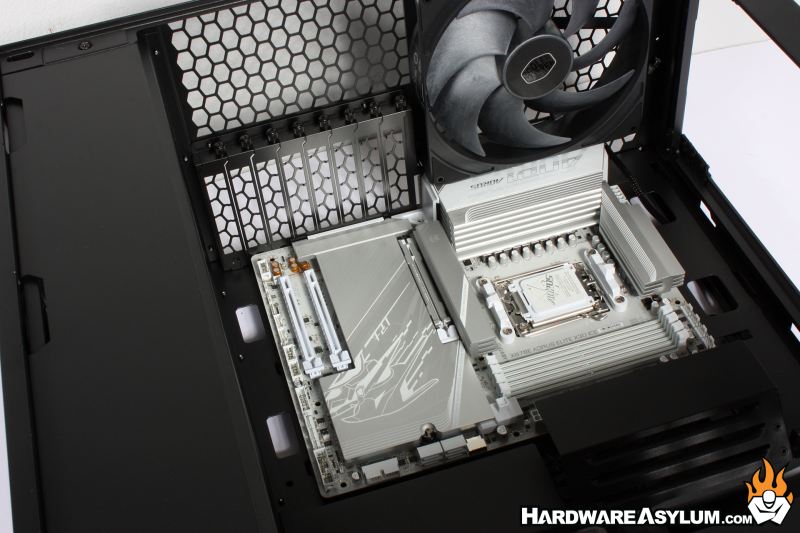
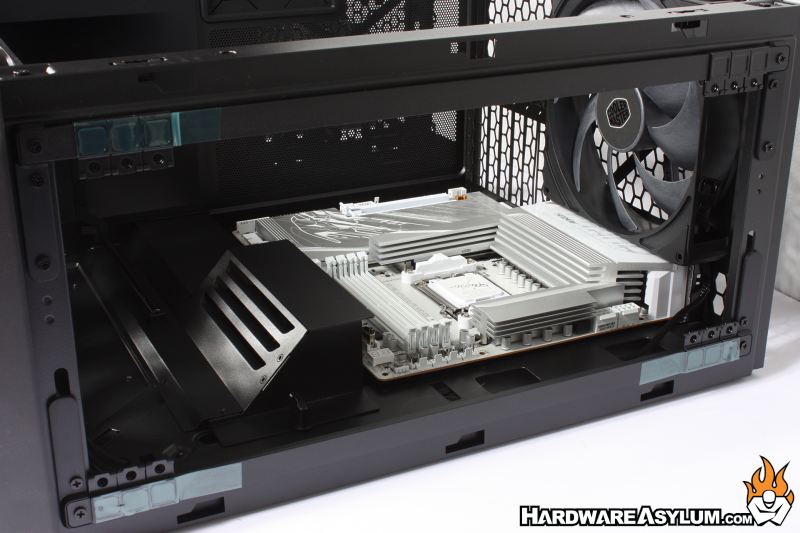
I did find that you will need to move the air guide cable cover thing over to install any motherboard and while I think it is a nice touch it will also be the first thing I forcefully remove due to how difficult it is to move. If Cooler Master had made the air guide cable cover something you screw into place it would have been a non issue however, as it stands the cover is needlessly complex and not very good.
As you may have guessed Hardware Asylum and Ninjalane have a long history with the HAF series of cases from Cooler Master and the designs have evolved considerably over the years from a simple chassis design with a large fan slapped to the side to a highly refined chassis we see today.
When I saw this case during Computex 2026 I was told the case was specifically designed to support the Mightly40 220mm and 180mm cooling fans. While these fans appear to be borrowed from the Cooler Master enterprise and datacenter projects, I am happy to see real cooling innovation being brought to the consumer space.
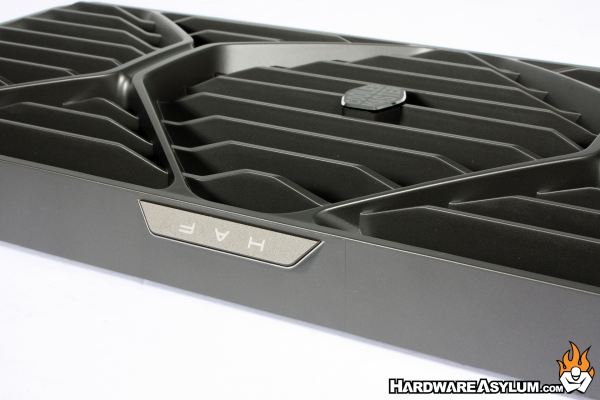
Each of the 220mm x 40mm fans will move over 200 cfm of air while spinning at a reasonable 1050 rpm which makes them extremely efficient at moving air from one place to another. While the case has been designed for air-cooling there are plenty of water-cooling options available using any range of radiators from 120mm to 360mm depending on your fan choices.
The issues I encountered during this review were rather trivial. The first is the placement of the Fan and ARGB hub. It’s located at the top of the chassis right dead in the middle. On paper this seems like a good location until you want to pick up the case to spin it around only to have your fingers punctured by a thousand needles. For me this is an embarrassing oversight which has been becoming increasingly more common with products across the entire industry.
The second issue was with the fancy sliding cable cover thing that is difficult to move and extremely flimsy. It would literally be the first thing I rip out of this case and mail back to Cooler Master in spite. There are infinitely better ways to create a cable cover and attempting to save the decision by calling it an air guide doesn't help.
Overall, I am glad to see the HAF series make a comeback and in a very impressive way featuring, all new, large diameter fans with a high airflow design and more options for mods from DIY watercooling to custom paint and lights. Strangely enough there was (and still is) a growing distain in the TechTube community centered on chassis design to criticize companies that release cases with poor cooling. The Fractal Torrent was a case designed to “appease” these channels who are now calling the HAF II 500 the second coming.
It isn’t, the HAF II 500 is what you get when a company quickly builds a product to evolve an existing platform while promoting something completely different, and it is great. 
Dual 220mm x 40mm Fans
Support for Triple 180mm Fans in Addition
Allowances for DIY Watercooling
Fan Shroud(s) Included
Great Cable Routing
Dual GPU Support
Awesome Front Bezel
Simple GPU support brackets
Only three USB ports
Limited large motherboard support
Placement of fan hub
Lackluster cable covers

Recommend
https://www.hardwareasylum.com