
SilverStone ALTA T1 Unibody Super Tower Case Review
Author: Dennis Garcia
Case Interior and Layout
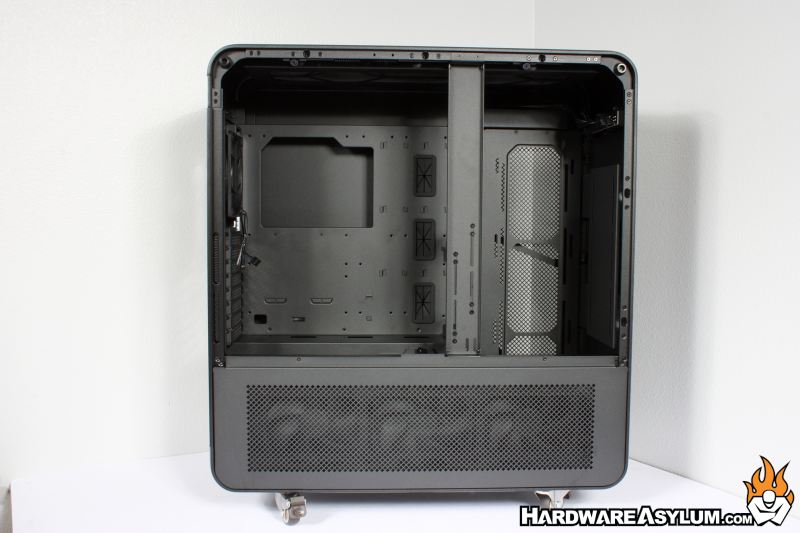
The SilverStone ALTA T1 currently has no glass side panel option leaving the interior layout to be somewhat of a mystery. A single screw will secure the side panel in place and is comprised of two parts. The main upper part provides access to the main system components.
Removing the bottom panel will provide access to the basement area which is normally covered by three of the included 140mm fans.
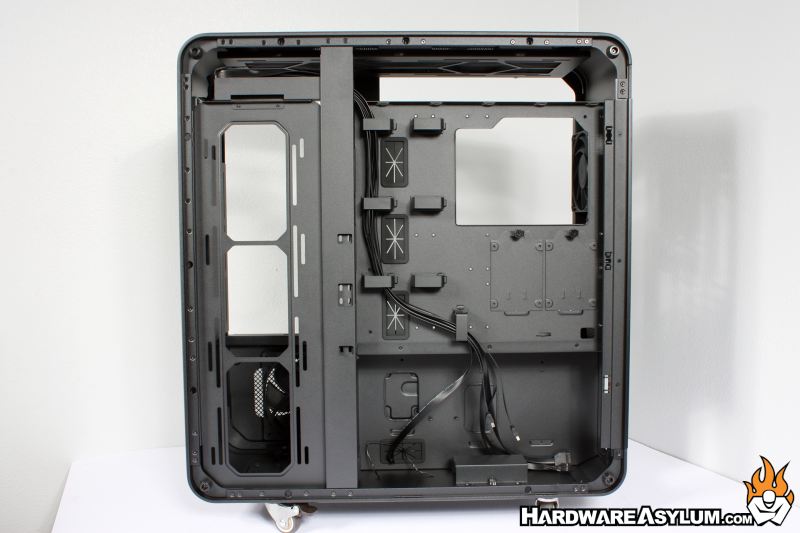
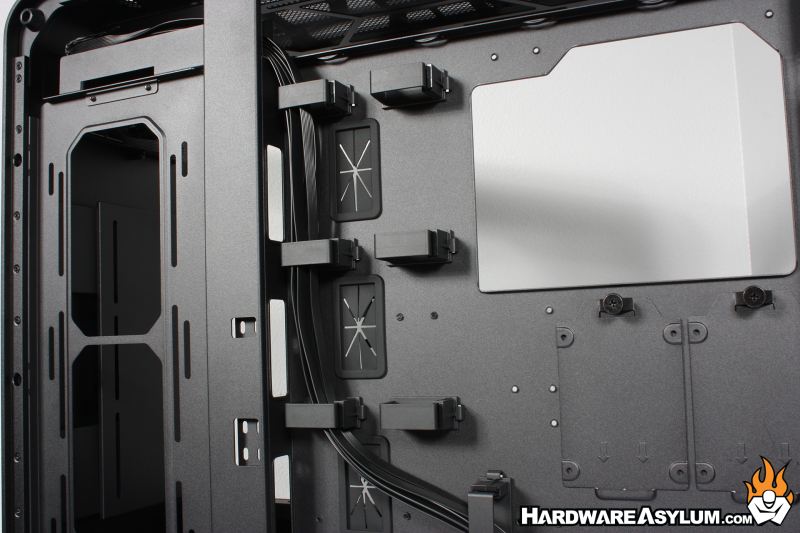
Flipping the case around will expose the area behind the motherboard tray and cable routing locations. On the ALTA T1 the powersupply location is taller than normal to allow for the PSU to be installed on end. As a result, the cable routing area is more accessible due to the decreased depth.
With the rotated PSU mounting you can effectively install two PSUs into the ALTA T1. The primary location (on the left) supports standard and hotswap PSU units with ample cable routing space. If a secondary PSU is installed there will be some limitations on what additional hardware can be installed due to limited space and proximity to existing components.
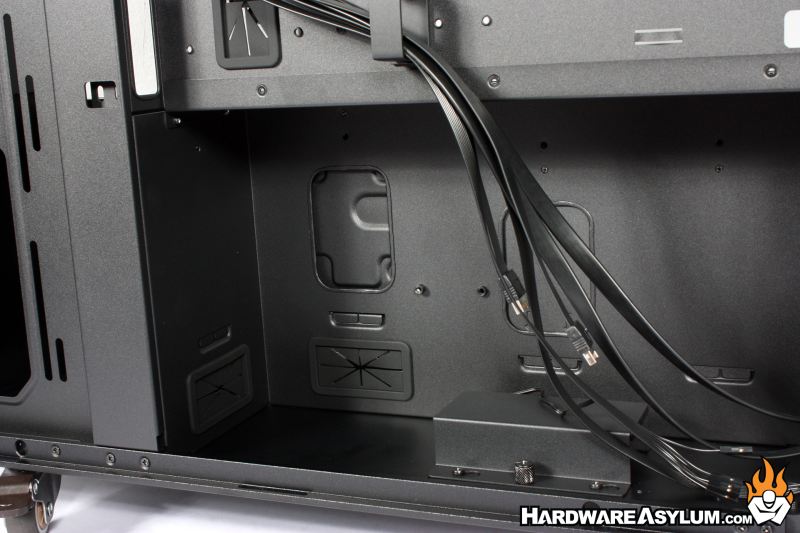
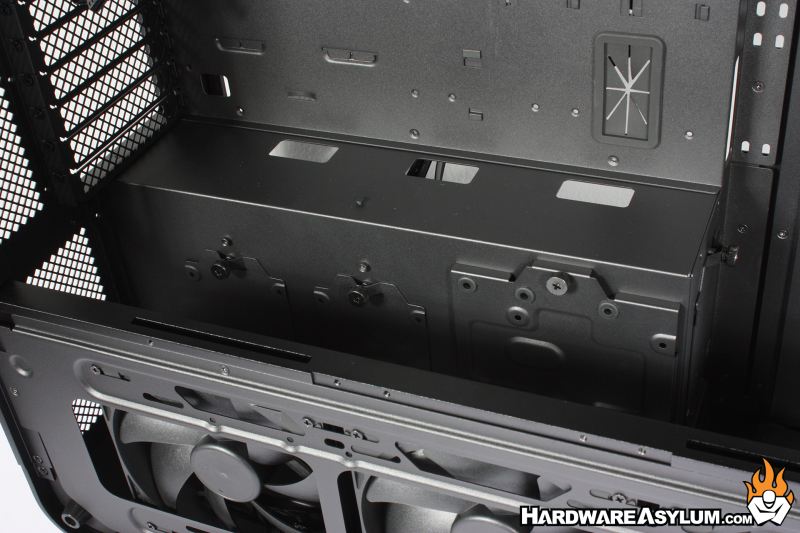
For example, four of the available storage drive mounting trays are located in the secondary PSU mounting space while also being sandwiched between the included fans.
I was surprised at how much room there is behind the motherboard tray along with how many cable channels are provided for cable routing. While there are plenty of cable channels there is a distinct lack of individual tiedown locations removing much of the routing flexibility some would expect.
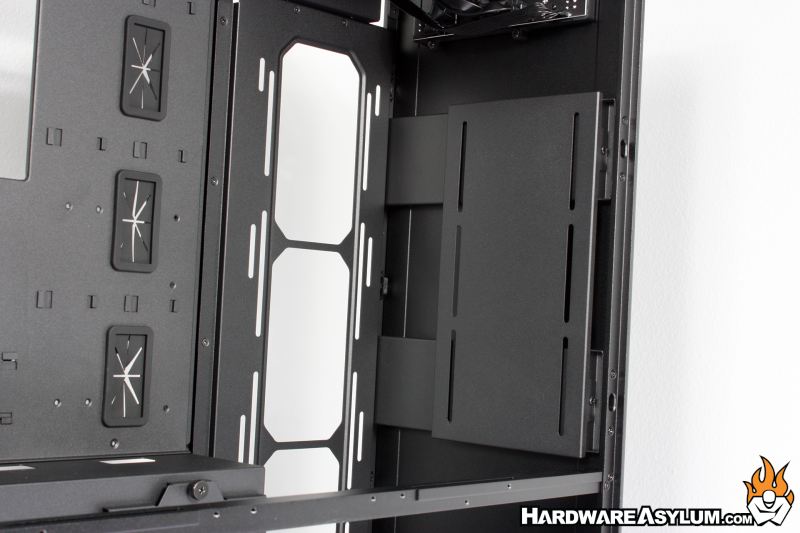
This next item honestly confused me at first. At the front of the case sits a large panel with three pairs of vertical slots. The position isn’t to hold any fans and it’s too far away for a GPU bracket so, what could it be.
Turns out this is a plate for holding a watercooling distribution block. Normally these blocks occupy front mounted fan locations or might be positioned on the panel next to the motherboard tray but, since primary cooling happens across the chassis that leaves the front area open for just about anything.
Some of my confusion was the nature of the ALTA T1 and how it is being positioned as a Super Tower, ideally holding high-end hardware. That normally isn’t a recipe for DIY watercooling but, in the enterprise space you will find an abundance of distro plates on AI workstations and I suspect the feature was simply borrowed from the profitable server chassis designs.