
Aorus X870E Elite X3D Ice Motherboard Review
Author: Dennis Garcia
Board Layout and Features
The X870E Aorus Elite X3D motherboard is following the new standard when it comes to gaming ready motherboard designs, which can be seen in the PCI Express layout. At the top you will find a single PCI Express 16x slot with the UD Slot X protection, at the very bottom of the motherboard you will find two more full length slots though wired at PCIe Gen 4 @ 4x and PCIe Gen 3 @ 2x. As you can expect, this layout goes a long way in maximizes drive storage while still offering some PCI Express slot expansion for those users wanting a little more.
In terms of overall design, I am really impressed with the PCB board color, my photos do not do the finish any justice but it is a very silver white and is almost identical to what ASUS and MSI use for their PCB board colors. As you would expect everything included with the motherboard is color matched and should blend nicely with any white accessories on the market.
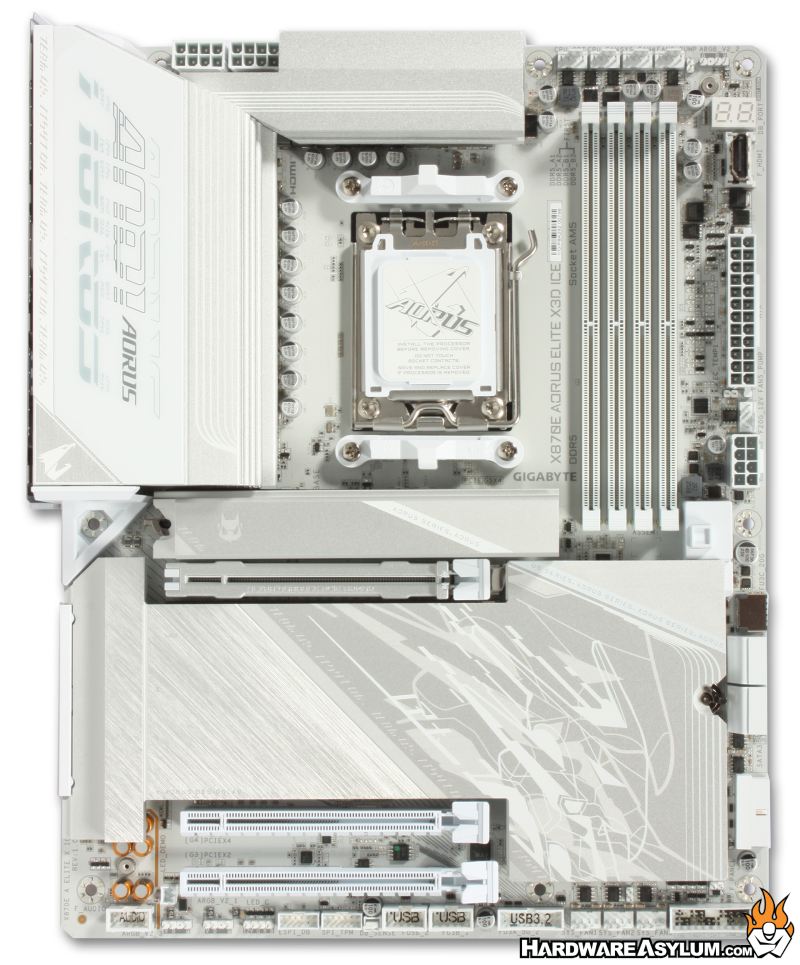
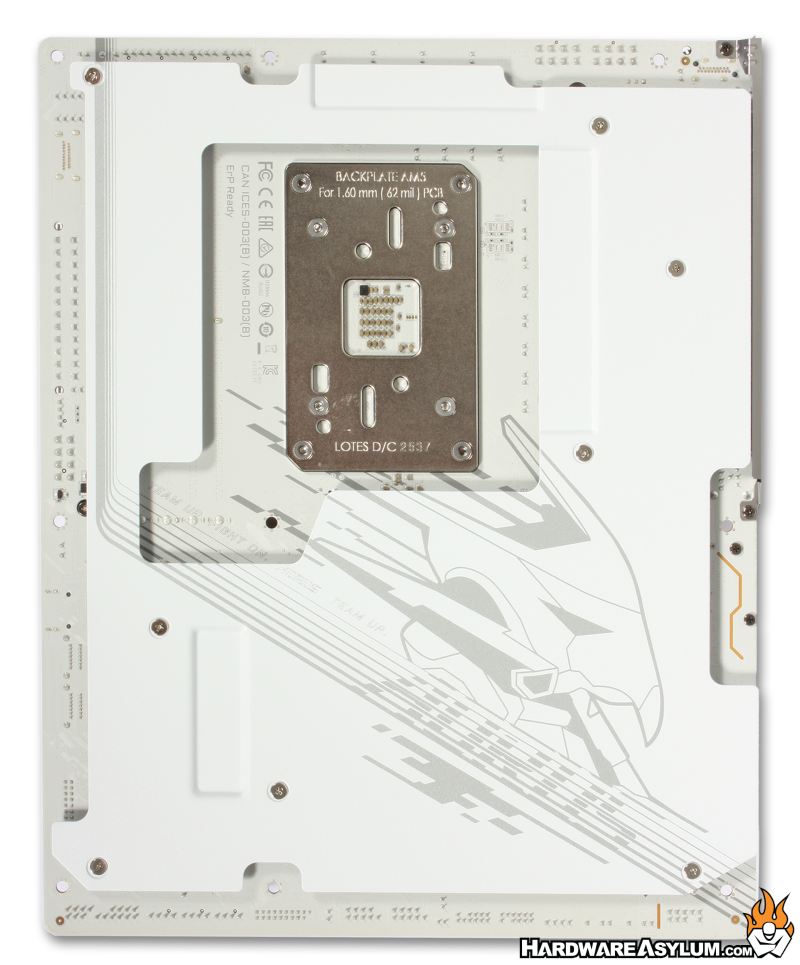
One of the new features is the included backplate. In my opinion any modern motherboard should come with a backplate. Some will say they enhance cooling while others will tell you they reinforce the motherboard to make it stronger. What is often overlooked is that “this” PCB is an eight-layer design so there is no bending the board and the fact you are mounting the motherboard in a chassis will hold everything together quite nicely. From a technical standpoint there is no real reason to include a backplate aside from looks and the fact that motherboard makers use it as a way to "one up" the competition, especially with a flagship chipset.
The CPU socket is rather typical for the AM5 platform. Across the top and bottom of the socket you’ll find the heatsink retention brackets and are almost always removed when installing an aftermarket heatsink. What is nice about this configuration is that the CPU socket backplate remains allowing you to secure everything into a factory part that is extremely strong.
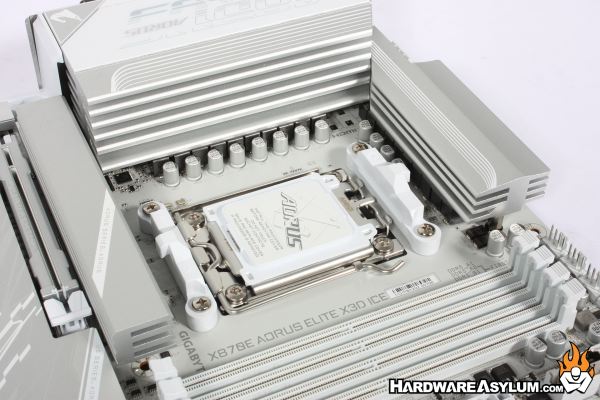
According to the documentation the VRM is a 16 + 2 + 2 twin digital design, like the X870 Elite. Normally you can determine this by counting the chokes around the CPU socket and corresponding capacitors. If you look in the upper right of the VRM section you’ll see that this board design was intended to have two more power phases but, where excluded during manufacturing.
CPU power is delivered by two 8-pin power sockets behind the VRM heatsink. Despite the location these are easily accessible though the top-most mounting screw is not, be sure to break out your magnetic screwdriver for this one.
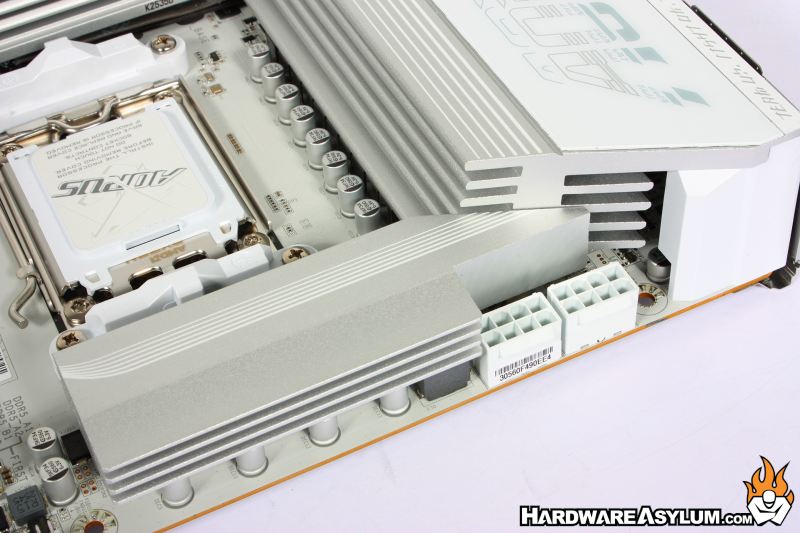
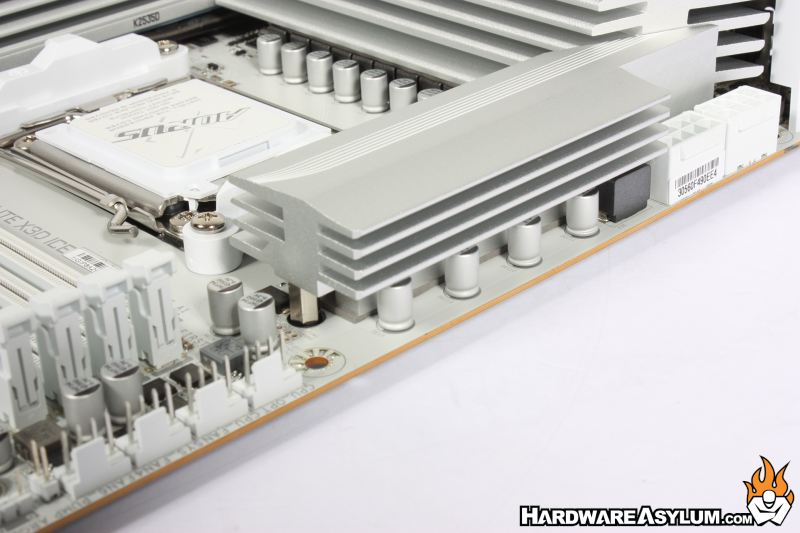
The VRM design appears to be split between the mosfets with capacitors on both sides of the VRM cooler along with a foam pad to help stabilize the cooler across the mosfets.
